

Every WEMASY project can go live for free on a WEMASY subdomain, an address like yourname.wemasy.app. You can also download your website as an archive file after you have published it. This article shows how to set up the subdomain, change it later, and download your site.
Publish on your WEMASY subdomain
- Click Publish in the top right of the dashboard.
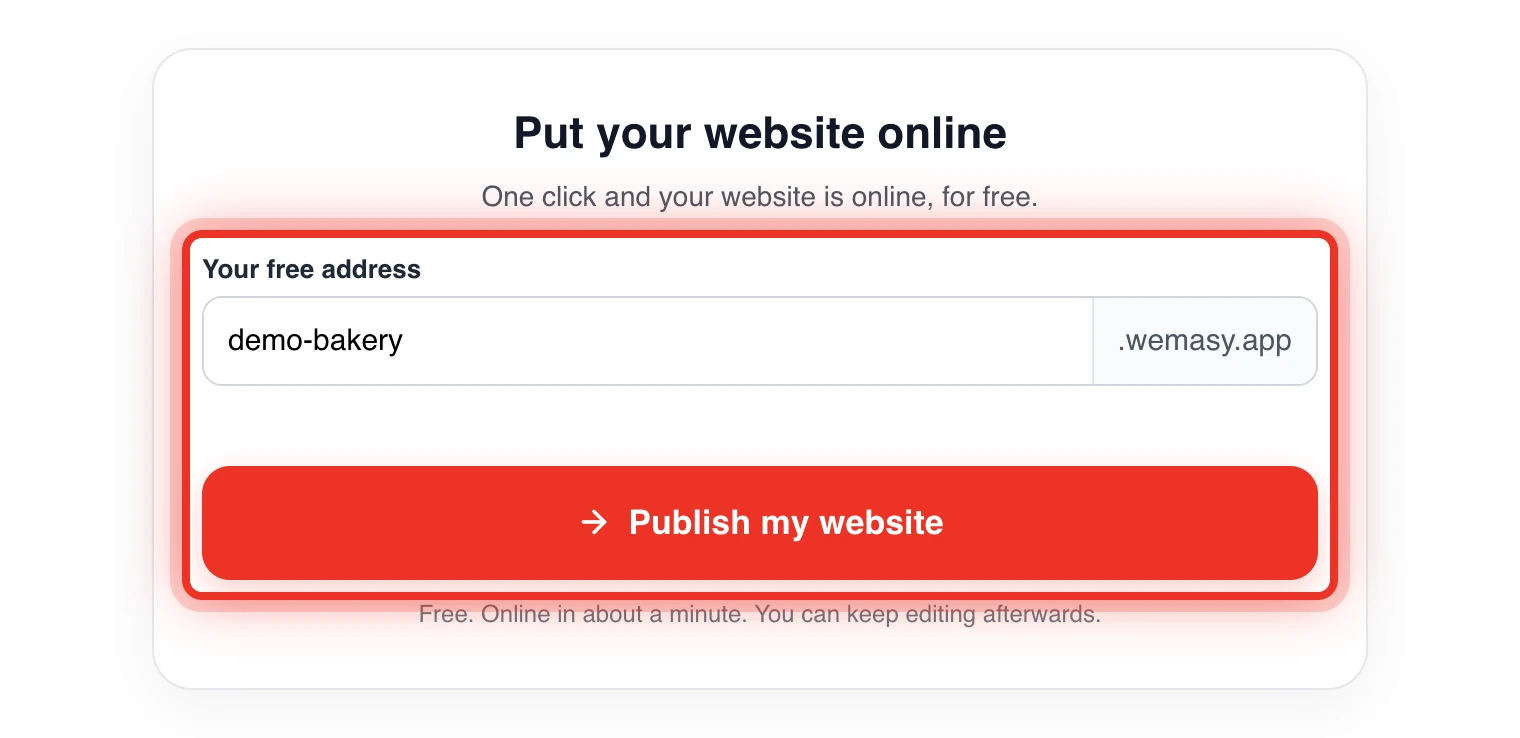
- Check the address with the FREE badge. If WEMASY asks for Your free address, enter the name you want before .wemasy.app.
- Click Publish my website.
- Wait for Your website is live! and click View my website.
The subdomain is free on every plan. The full steps are in Publishing your website.
Change your subdomain
- Open your project settings.
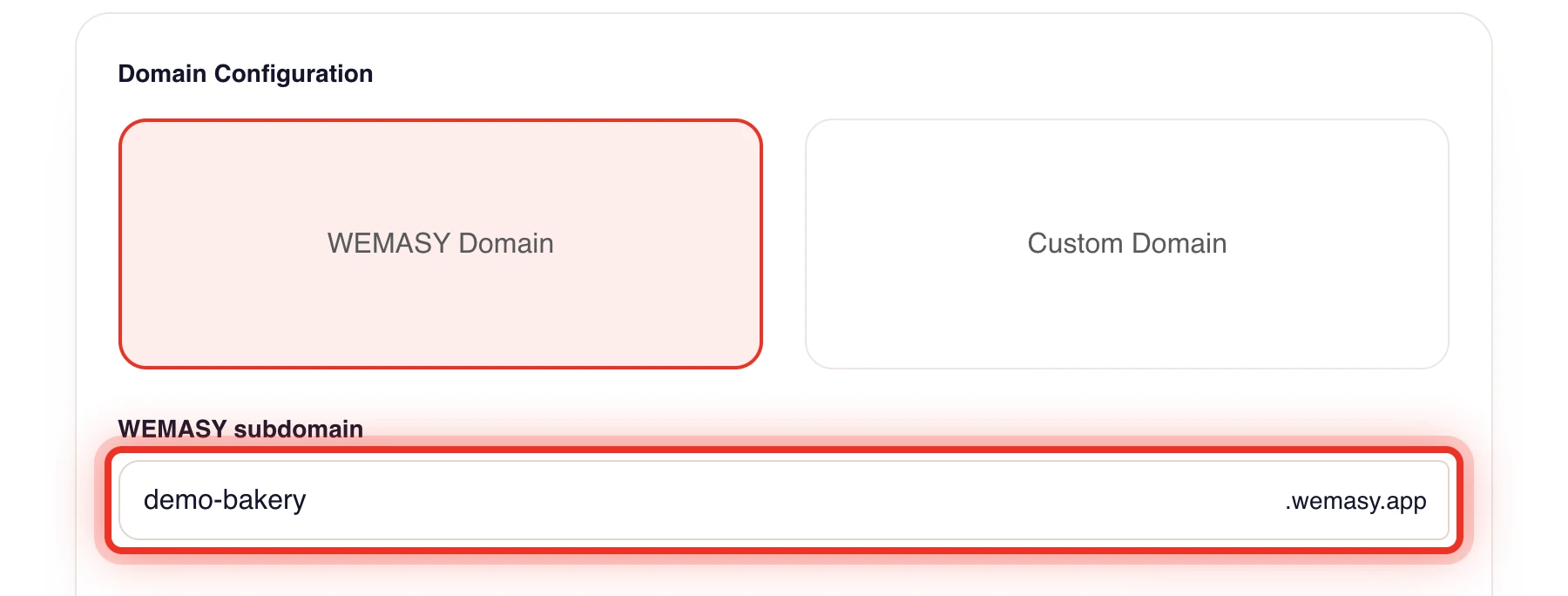
- Go to Domain Configuration.
- Change the subdomain and save.
- Click Publish in the top right so your site is available on the new address.
Links that point to the old subdomain may stop working after the change. Update them where you shared them.
Move from the subdomain to your own domain
After a publish, click Connect your own domain on the screen that shows your live address. When your site moves to a custom domain, WEMASY warns you in Switch Domain Type that your site leaves the subdomain. The same warning appears the other way around. A custom domain needs a paid plan. See Custom domain publishing.
Download your website
You can download your website once it has been published at least once. The download is a build that WEMASY made when you published.
- Right after a publish: click Download your website at the bottom of the screen that shows your live address.
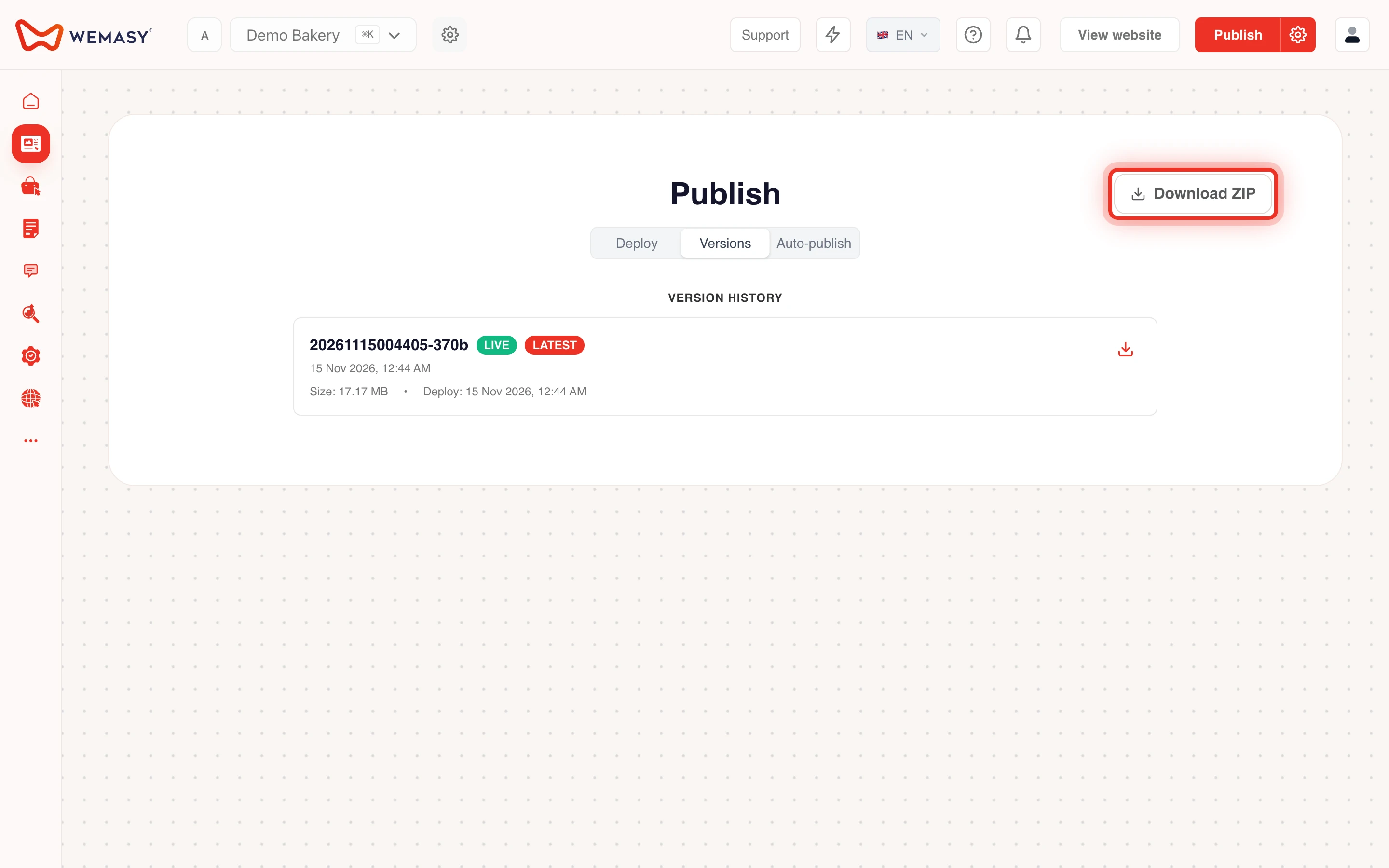
- Any time later: click the gear icon next to Publish in the top right (tooltip Deployment settings), open the Versions tab and click Download ZIP at the top. It downloads your latest build.
- An earlier build: on the Versions tab, click the download icon of that build. Its tooltip says Download version.
The download always includes your images. Publish first if you want your latest changes in the ZIP. See Auto-publish and deploy versions.
The download is a .tar.zst archive (older builds: a .zip file). It holds the static pages, styles and images of your site. Features that run on WEMASY, such as forms, the webshop checkout, bookings and visitor statistics, may not work when you host these files somewhere else. For your other options to take your site and data with you, see Export your website and data.
Frequently asked questions
Is the WEMASY subdomain really free?
Yes. Publishing on a *.wemasy.app subdomain is included in every plan, also the free plan. A custom domain needs a paid plan.
Compare plans on the pricing page.
Why does WEMASY ask me to verify my email first?
Your free *.wemasy.app address works without a verified email address. Your own domain needs one. Open the verification email WEMASY sent you, click the link, and publish again.