

Website availability decides whether visitors can reach your published website. You can take the site offline, show a maintenance page while you work on it, or put it back live. WEMASY applies the change by republishing your website right away, and you can undo it at any time.
Where to find it
- Click Settings in the top right menu of the dashboard.
- Open the General tab.
- Scroll down to the Danger Zone.
- Find Website availability.
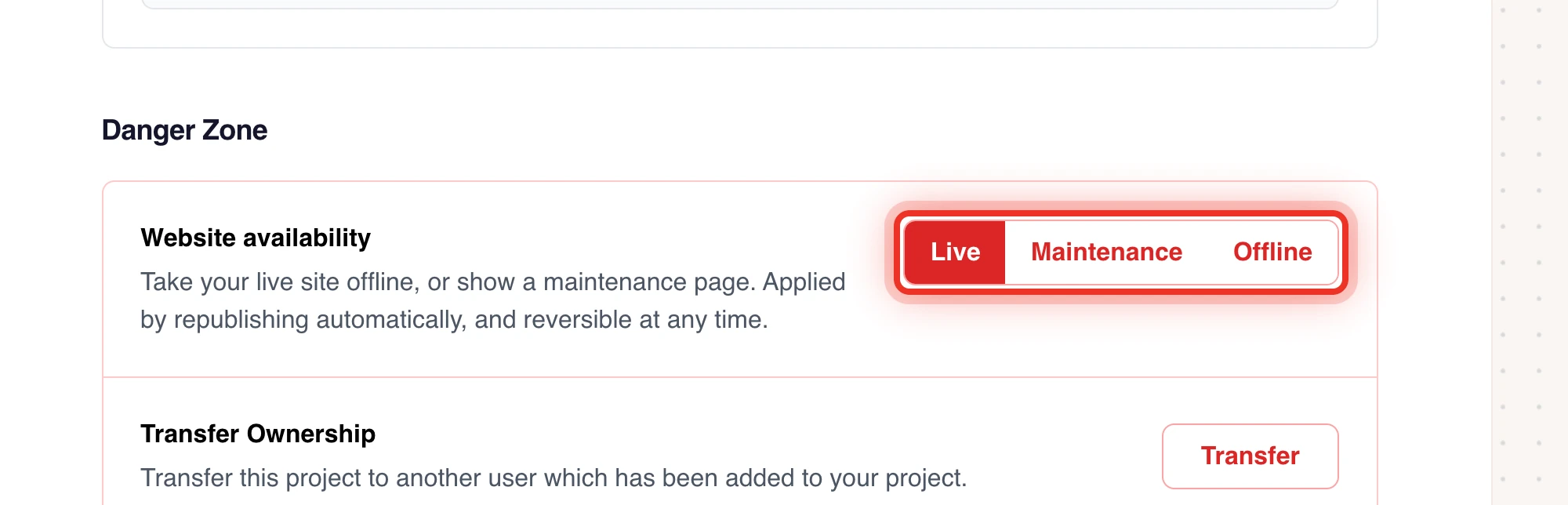
The Danger Zone is only shown to the owner of the project. A collaborator cannot change the availability.
The three modes
- Live: visitors see your website as normal.
- Maintenance: visitors see a maintenance page. WEMASY uses your own page at /maintenance if you have one, otherwise a default page.
- Offline: your website is taken offline. WEMASY uses your own page at /offline if you have one, otherwise the default WEMASY offline page with a button to log in and manage the website.
Change the availability
- Click Live, Maintenance or Offline.
- Read the message in Change website availability?
- Confirm.
- Wait while WEMASY shows Republishing your website…
When your website has never been published, WEMASY saves the choice and applies it the first time you publish.
If you see The status was saved, but republishing failed. Please publish manually., open the Publish page and publish your website yourself. See Publishing your website.
When to use which mode
- Use Maintenance for a short break, for example while you rebuild your menu or change your shop. Visitors know you are coming back.
- Use Offline when the website should not be reachable at all for a longer time.
- Switch back to Live when you are done. WEMASY republishes your website as normal.
Tip: design your own maintenance or offline page so visitors see your logo and a message in your words. See Custom offline and maintenance pages.
Related: Project settings.
Frequently asked questions
Does offline or maintenance delete my website?
No. Your pages, products and settings stay in the dashboard. Switch back to Live and WEMASY publishes your website again.
Can I keep working on my site while it is in maintenance?
Yes. You can edit everything and check your work with View website. Visitors only see your website again when you switch it back to Live.