

Schedule Publication lets you prepare a collection item now and have it switch from draft to published at a date and time you choose. Use it for blog posts, news items, events or any other item in a structure (collection) that should appear on a set day.
Where to find it
Schedule Publication is a field on the form of a structure item, for example a blog post. Regular pages do not have it.
Schedule an item
- Open the structure in Website Builder, for example your blog.
- Create a new item or open an existing one.
- Fill in the content.
- Set Status to Draft.
- Click Schedule Publication and pick the date and time.
- Save the item.
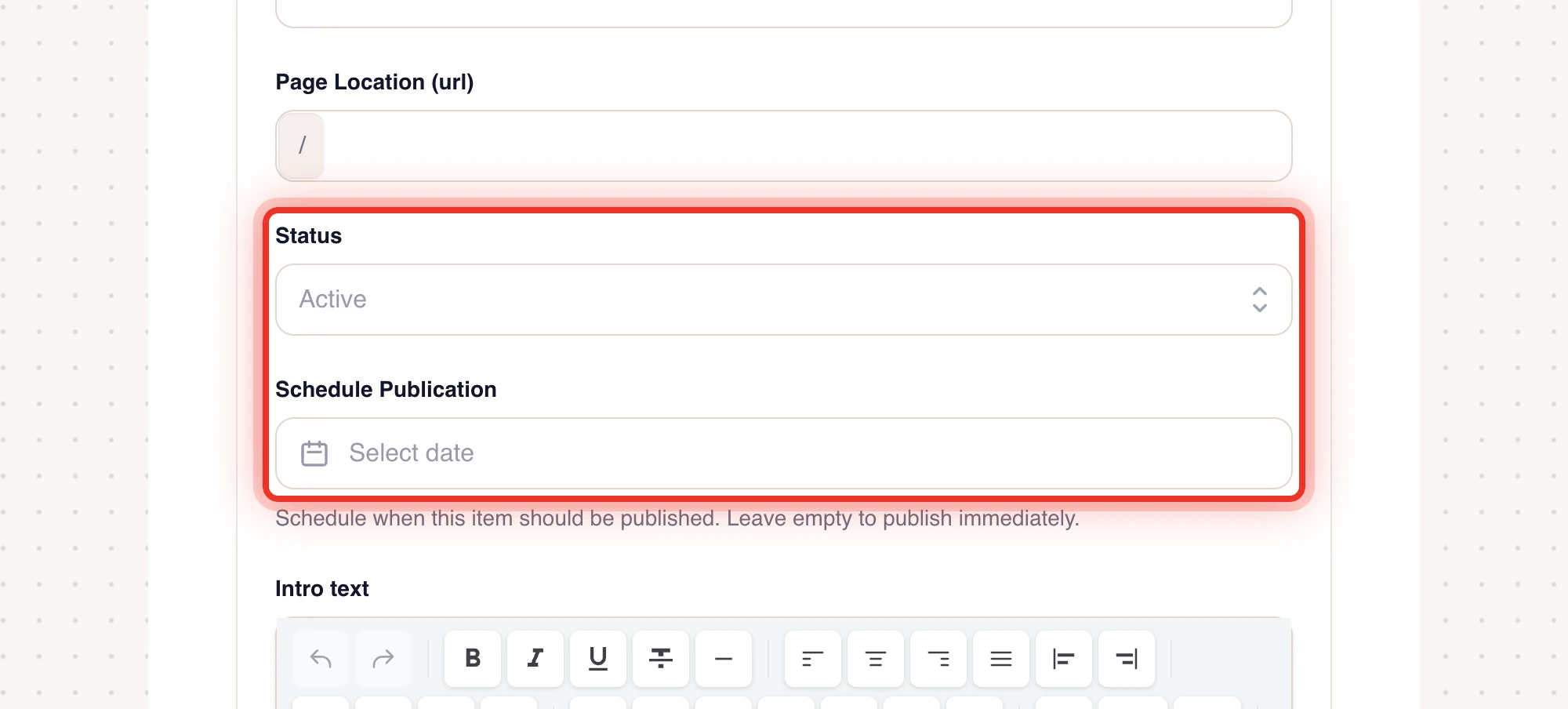
Leave Schedule Publication empty to publish the item as soon as you set it to Active.
Follow scheduled items
The items list shows the state of each item, for example Scheduled for publication on a date, Published on schedule, or Was scheduled for a date but not yet published. If you set an item to Active yourself before its date, the list says Published early.
Make sure the item reaches your live site
At the scheduled time, WEMASY switches the item from Draft to published in your project. Your live website shows it after the next publish. To have that happen without you:
- Open the Publish page with the gear icon next to Publish.
- Open the Auto-publish tab.
- Pick a schedule that runs after your planned items, for example Daily at 07:00.
- Click Start auto-publishing.
See Auto-publish and deploy versions.
Not the same as Auto-publish
- Schedule Publication works per item. It decides when one item is published in your project.
- Auto-publish works for the whole website. It rebuilds and publishes your site on a schedule.
Tip: schedule a batch of posts for the coming weeks, then set Auto-publish to daily. Each post then appears on your website on its own day.
Related: Working with structures and Publishing your website.
Frequently asked questions
My item was scheduled but it is not on my website.
The item is published in your project, but your live site needs a new publish to show it. Click Publish, or set up Auto-publish so this happens on a schedule.
Can I schedule a regular page?
No. Schedule Publication is only on structure items. Keep a page as a draft until you are ready, then publish it.