

Your homepage is the page that opens when someone types your website address. Its own address is a single slash: /. If no page has that address yet, your website address can show a blank page. This article shows how to give a page that address, publish it and check the result. You can also let the AI build your homepage.
Let the AI build your homepage
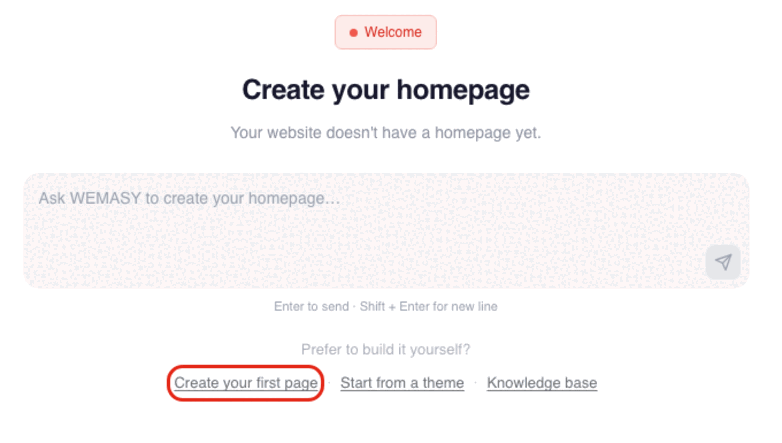
If your website has no page with the address /, the Website Builder shows a screen called Create your homepage. Tell the AI what your business does in the message box, or choose Create your first page to build it yourself. You look at the result before it goes live.
Give an existing page the address /
You already have a page that visitors should see first? Make it your homepage in three steps.
Step 1. Set the page location to /
Open your website in WEMASY and open the page you want visitors to see first. Under Page location (url) type / (just a slash), or tick This is the homepage. Then save.

Step 2. Publish
Press Publish, at the top right. Your visitors only see a change after you publish.
Step 3. Check it in your browser
Open your website address in your browser, on your phone too. Your homepage should show up. If the page is still blank, press Publish again and reload.
Frequently asked questions
Why does my website address show a blank page?
Usually because no page has the address /. Give one page that address (step 1) and publish.
Do I have to publish?
Yes. Changes show on your website only after you publish.
Can I delete my homepage?
No. You cannot delete your homepage: WEMASY asks you to edit it, or to give another page the address / first.
Can the AI do this for me?
Yes. Open the AI chat, tell it what your business does and it builds your homepage. You check it before it goes live.