

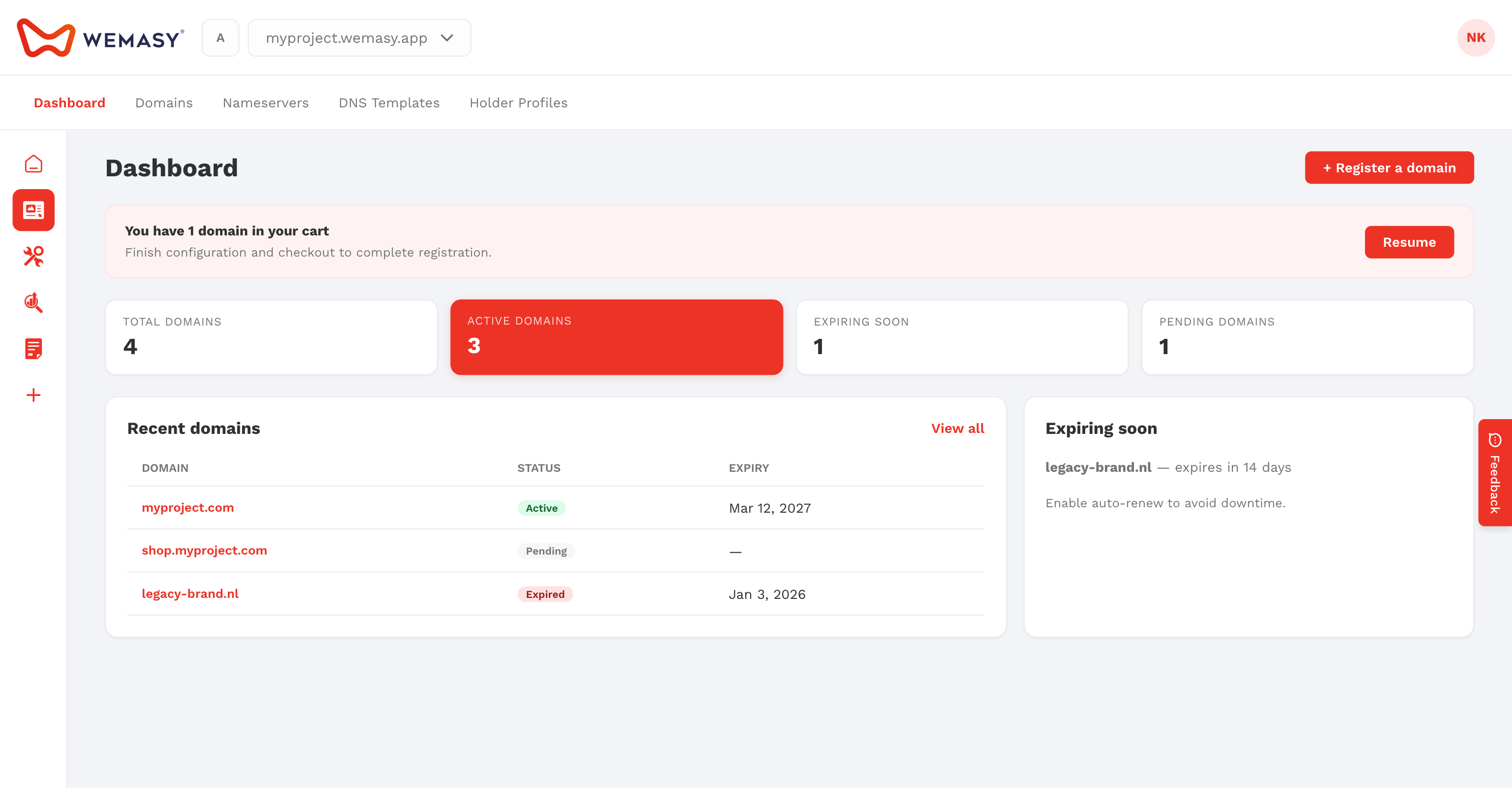
All domains you register or transfer in WEMASY are managed in one place: Domains, in your account menu. From there you see which domains are active, which expire soon, and you open each domain to change its settings. This article explains the overview, the domain list and the detail page of a domain.
Open Domains
- Click your avatar in the top right corner.
- Select Domains.
The Overview shows Total Domains, Active Domains, Expiring Soon and Pending Domains, plus your recent domains and the domains that expire soon. Click Register a domain to start a new registration.
The domain list
- Click Domains in the left menu.
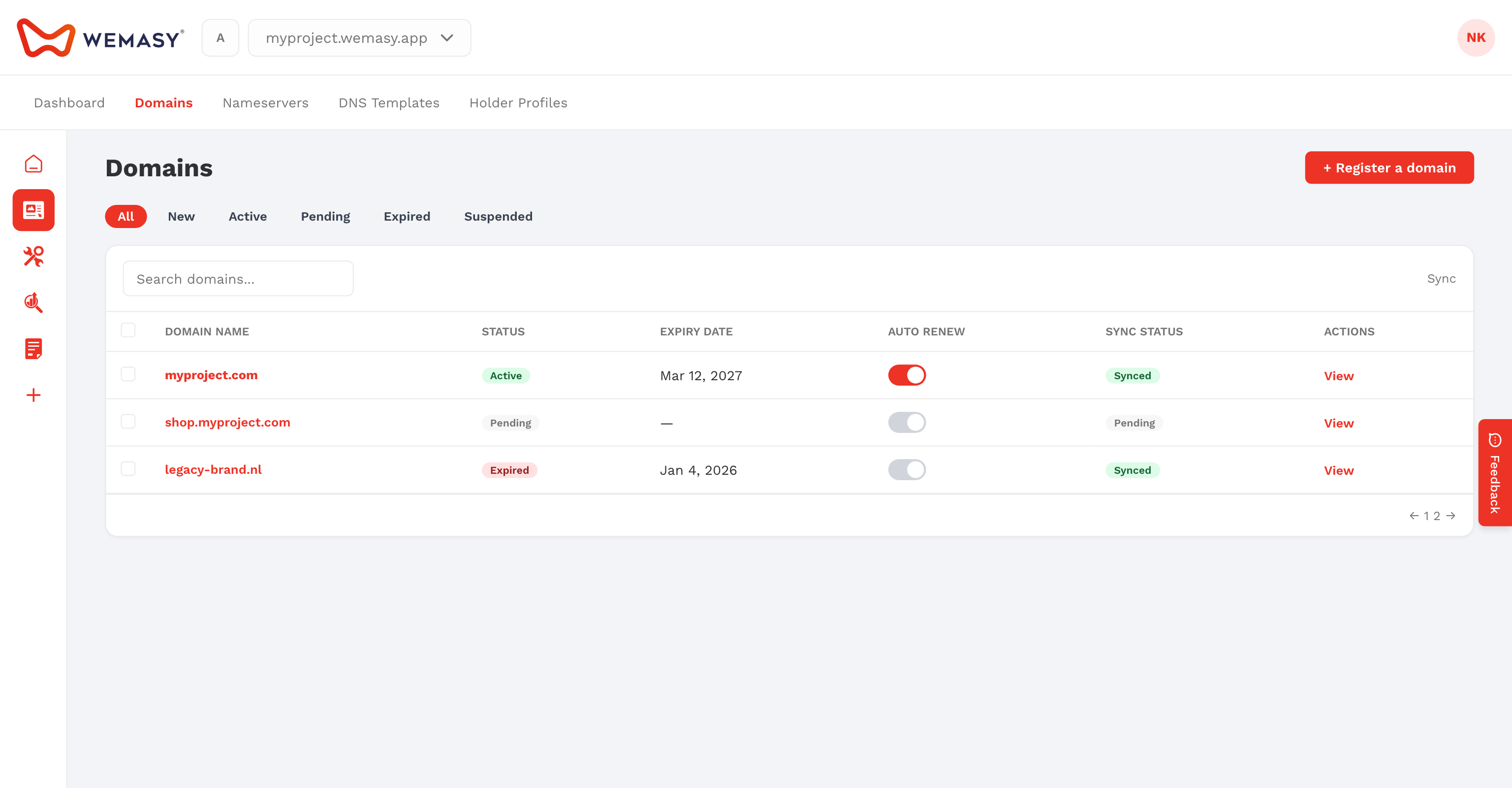
- Type in Search domains... to find a domain.
- Use the status filter to show only active, pending or expired domains.
- Click a domain to open its detail page.
Each row shows the Status, the Expiry Date and Auto Renew. Click the auto renew switch in the list to turn it on or off without opening the domain.
What the status means
- Pending: the registration or transfer is still running at the registry.
- Active: the domain is registered and works.
- Expired: the domain was not renewed. You cannot change it until it is renewed.
- Registration Failed: the registry did not register the domain. WEMASY support contacts you about it.
- Transferred Out: the domain moved to another company.
The domain detail page
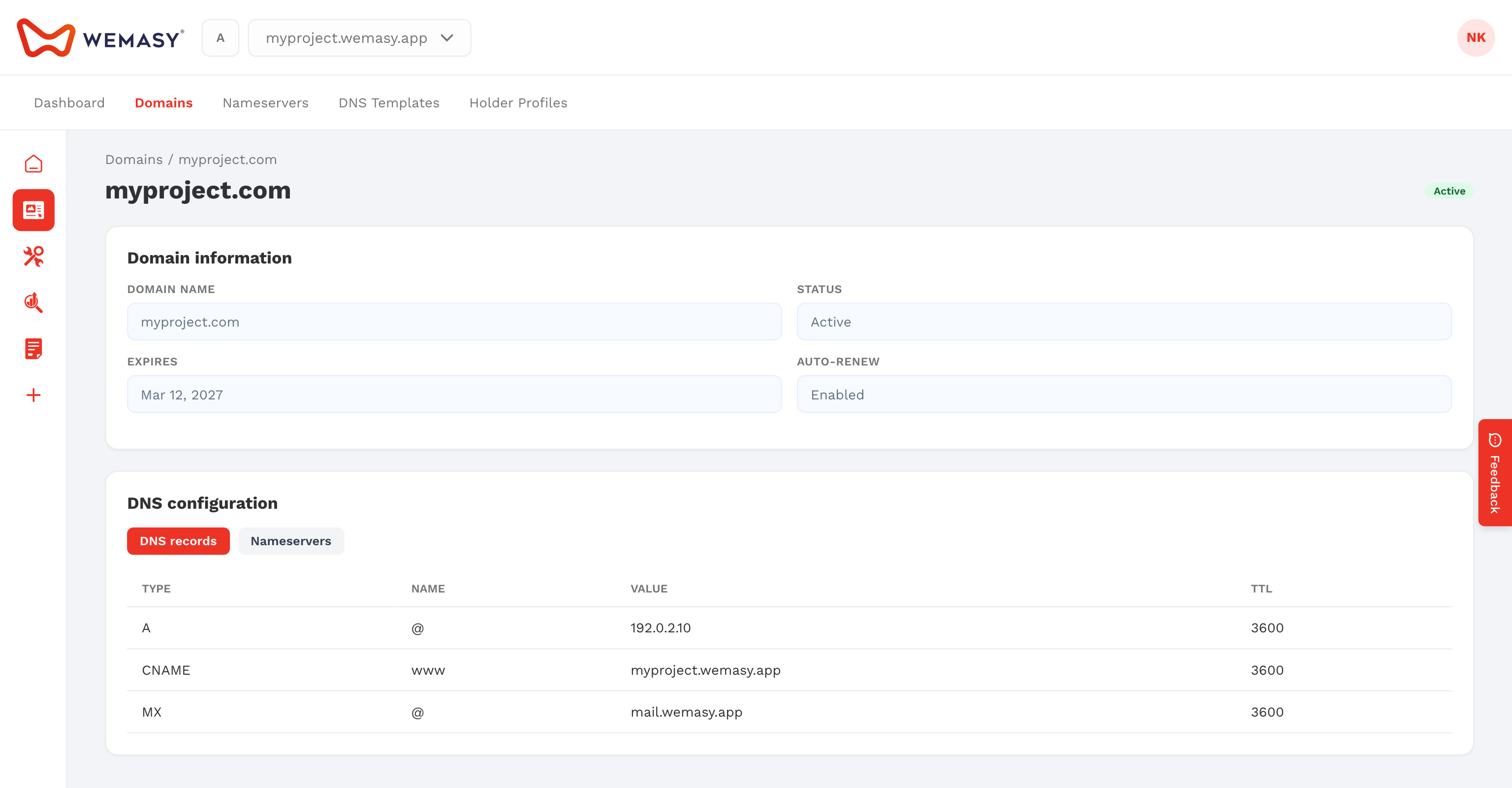
The detail page has these sections:
- Domain Information: the status and expiry date, with the Auto Renew and Domain Lock switches.
- DNS Configuration: choose DNS to manage records in WEMASY, or Custom Nameservers to use your own. Click Sync from registrar to load the records as they are at the registrar now.
- Transfer Domain Away: get the code to move the domain to another company.
- Contact Roles: the holder profile for the registrant, admin, technical and billing contact.
- Activity Log: every change to the domain, with the date and who made it.
When the domain is connected to a project on WEMASY hosting, the DNS section shows Connected to WEMASY Hosting and the project it is linked to, instead of the records. See Connecting a WEMASY domain to your project.
For the DNS settings, see DNS records and templates. For renewal, the lock and transfers, see Domain renewal and transfer.
Tip: Check Expiring Soon on the overview now and then. A domain with auto renew turned off stops working on its expiry date.