

The Video element plays a video file on your page, such as a short product demo, a tour of your venue or a background clip in a hero. You upload the file yourself, choose a poster image that shows before playing, and decide whether it starts by itself.
Add a video
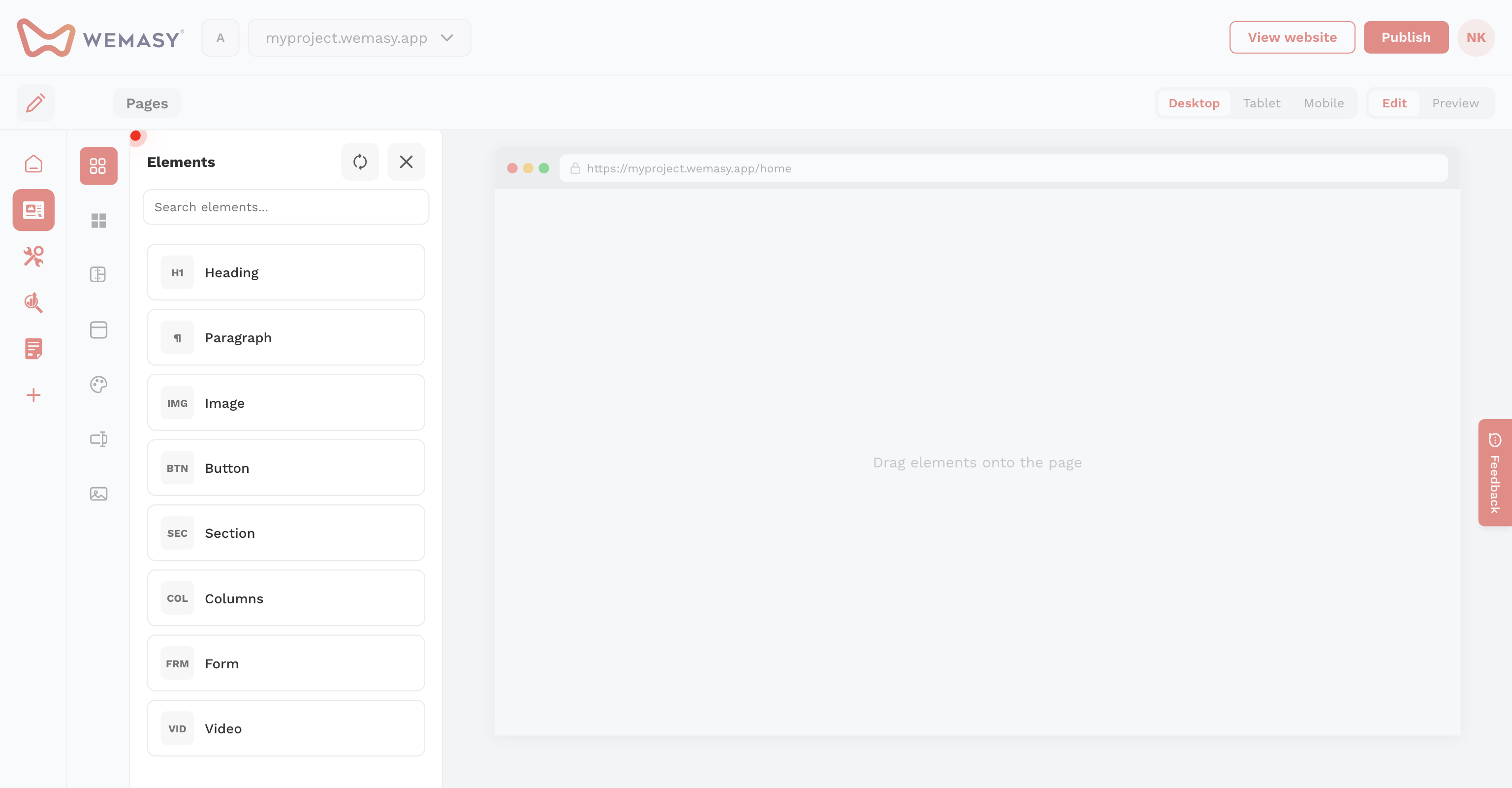
- Click Elements in the left sidebar.
- Drag Video into a section.
- Open the element settings.
- Under Video Source, upload a video file or paste a Video URL.
- Under Poster, choose an image that shows before the video plays.
Accepted files are MP4, WebM, Ogg, AVI and QuickTime. MP4 works in every browser.
Playback settings
- Show Controls: shows play, pause and volume buttons.
- Autoplay: starts the video when the page opens. Browsers only allow this when Muted is on.
- Loop: starts again at the end.
- Muted: plays without sound.
- Preload: None, Metadata or Auto. None or Metadata keeps your page fast.
Size and style
- Width, Height and Aspect Ratio.
- Fit: Cover (crop to fill) or Contain (show all), among others.
- Radius, Border, Border Color, Shadow and Alignment.
- Click Event: None, Link with a Link URL, or Disabled.
Videos from YouTube or Vimeo
The Video element plays files. To show a video hosted on YouTube or Vimeo, use the Embed element with the embed code of the video. A section can also have a video background: see Columns and section styling.
Tip: keep videos short and compressed. Large files slow down your page, especially on phones.
Frequently asked questions
My video does not autoplay
Browsers block autoplay with sound. Switch on Muted together with Autoplay, then publish and reload the page.
The video is very slow to start
The file is probably large. Compress it before you upload, set Preload to Metadata, and add a Poster image so visitors see something right away.