

Redirections send visitors and search engines from an old address on your website to a new one. Broken Links shows which addresses visitors tried to open on your live site that do not exist. Together they keep old links, bookmarks and search results working after you rename or remove pages.
Where to find them
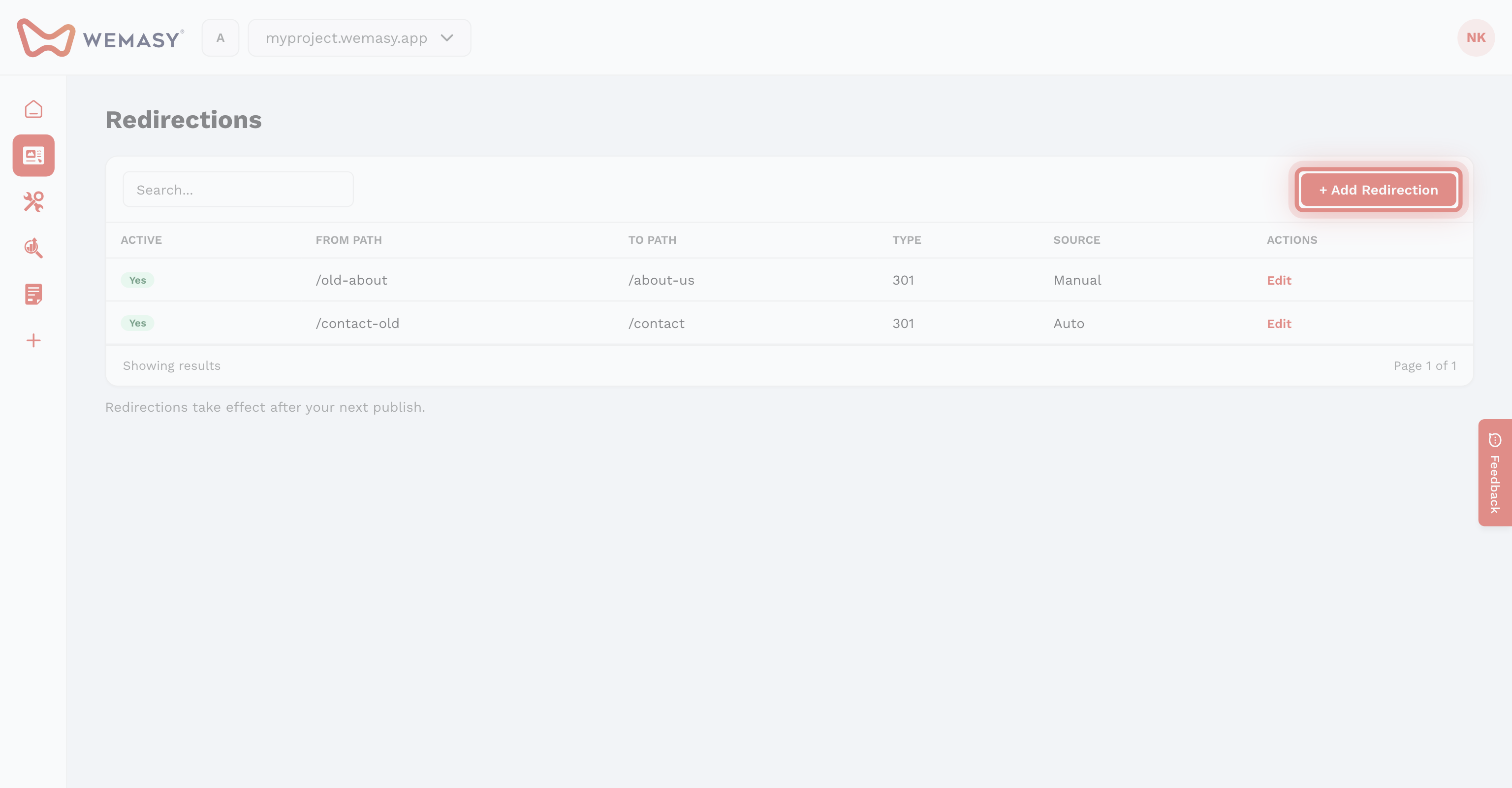
In Website Builder, open the three dots menu in the bar with Pages, Forms and Menus. Choose Site Redirections or Broken Links.
Redirections need a paid plan. On a plan without them, the screen shows an Upgrade button instead of the list.
Add a redirection
- Open Site Redirections.
- Click Add Redirection.
- Under Redirect Method, choose Custom URL / Path or Existing Page.
- Enter the old address in From Path, for example /old-services.
- Enter the new address in To Path, or pick a page under Select Page.
- Choose the Type: 301 for a permanent move, 302 for a temporary one.
- Leave Active switched on.
- Click Create.
- Publish your website. Redirections reach your live site after the next deploy.
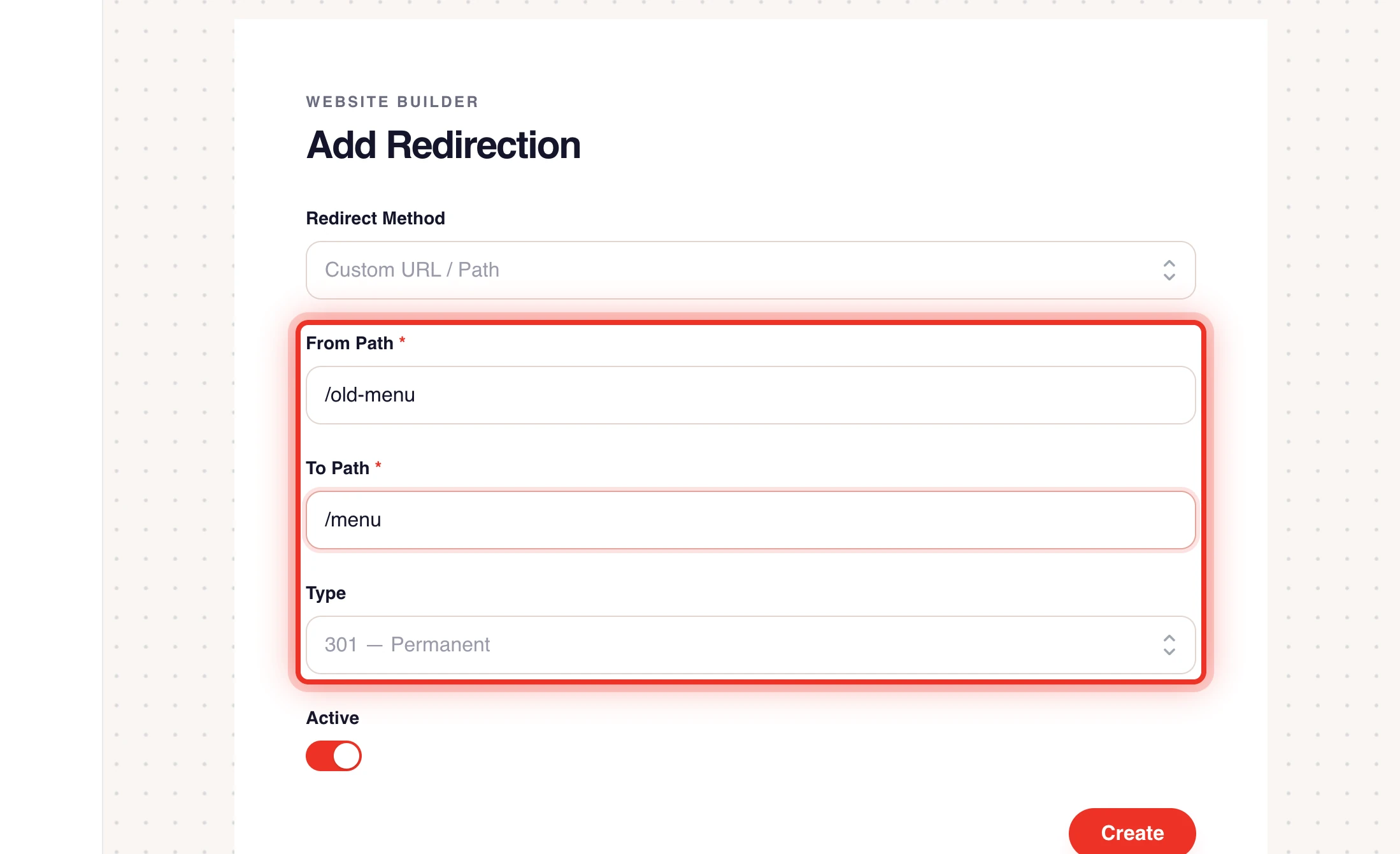
Use 301 when a page has moved for good. Search engines then pass the old page's ranking to the new address. Use 302 only when the old address comes back later.
Redirects created for you
When you change the URL of a page, a collection item, a category or a product, WEMASY offers Redirect old URL to new URL. Keep it switched on, and the old address forwards to the new one. These redirections show in the list with the source Auto (URL changed). Ones you add yourself show as Manual.
Edit or switch off a redirection
- Open Site Redirections.
- Click the redirection in the list.
- Change the fields, or switch off Active to pause it.
- Click Save.
- Publish your website.
Find broken links
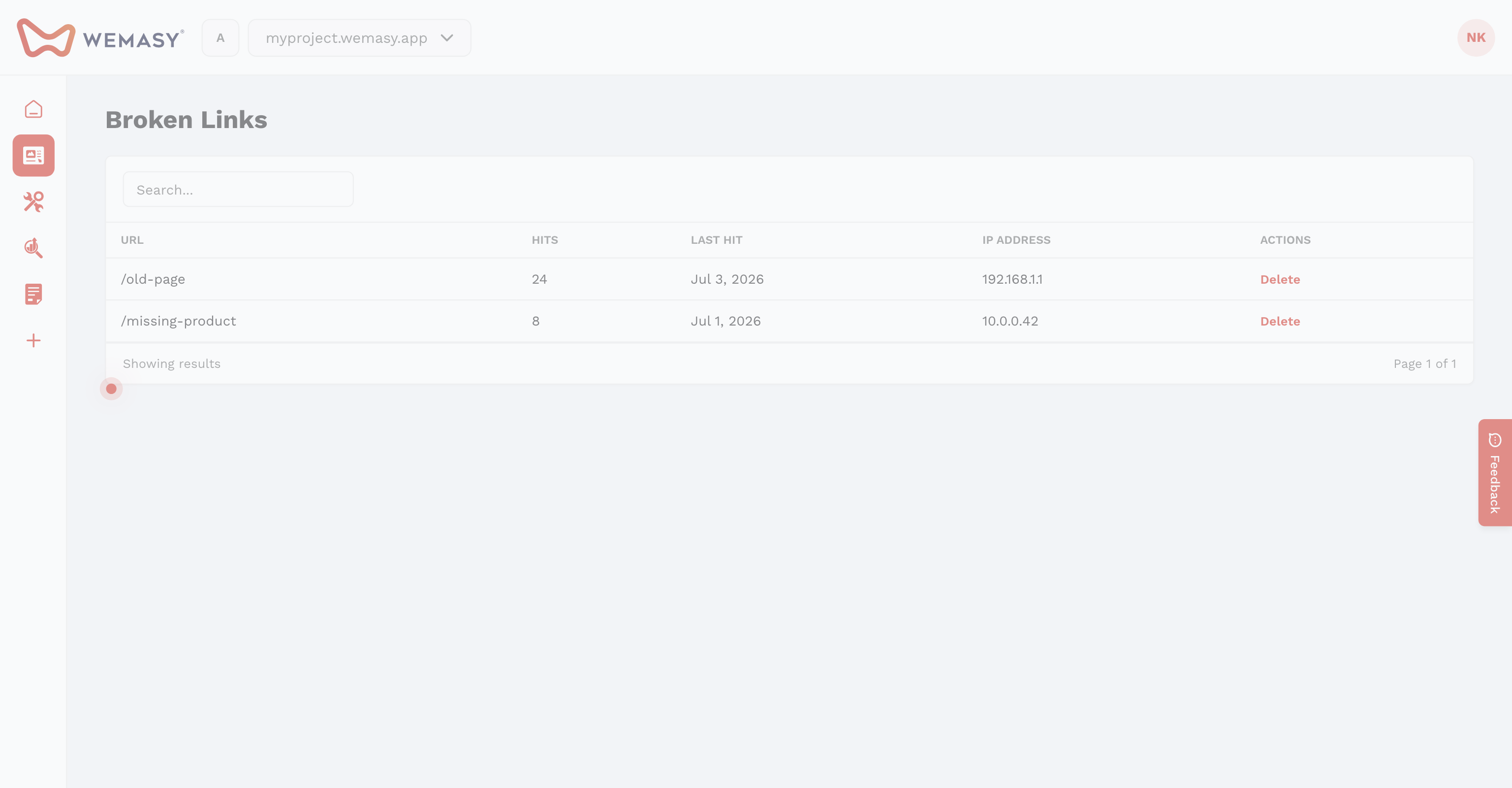
Broken Links lists every address on your live site that answered with a page not found. For each one you see the URL, the number of Hits, the Last Hit and the Last IP.
- Open Broken Links.
- Sort by Hits to see the addresses visitors try most.
- Copy a URL that should lead somewhere.
- Add a redirection with that URL as From Path.
- Delete the row from Broken Links once it is fixed.
Tip: when you work in a site version, a redirection you change there reaches the live site only after that version goes live. See Site versions.
Related: Page settings and SEO and Publishing your website.
Frequently asked questions
I added a redirection but the old address still shows a 404.
Redirections are applied when you publish. Publish your website and try the old address again in a private browser window.
Which addresses can I use as From Path?
A From Path starts with a slash and uses lowercase letters, numbers and simple characters such as hyphens. It cannot be your homepage and cannot hold a question mark, a hash or a space. You can add up to 500 redirections per website.
Can I redirect to another website?
Yes. Choose Custom URL / Path and enter the full address, including https://, in To Path.