

Font sizes decide how large your text and headings are on every page. In the WEMASY Website Builder you set them once in Customization, separately for desktop, tablet and mobile, so headings stay readable on a small phone screen without looking tiny on a large monitor.
Open the size settings
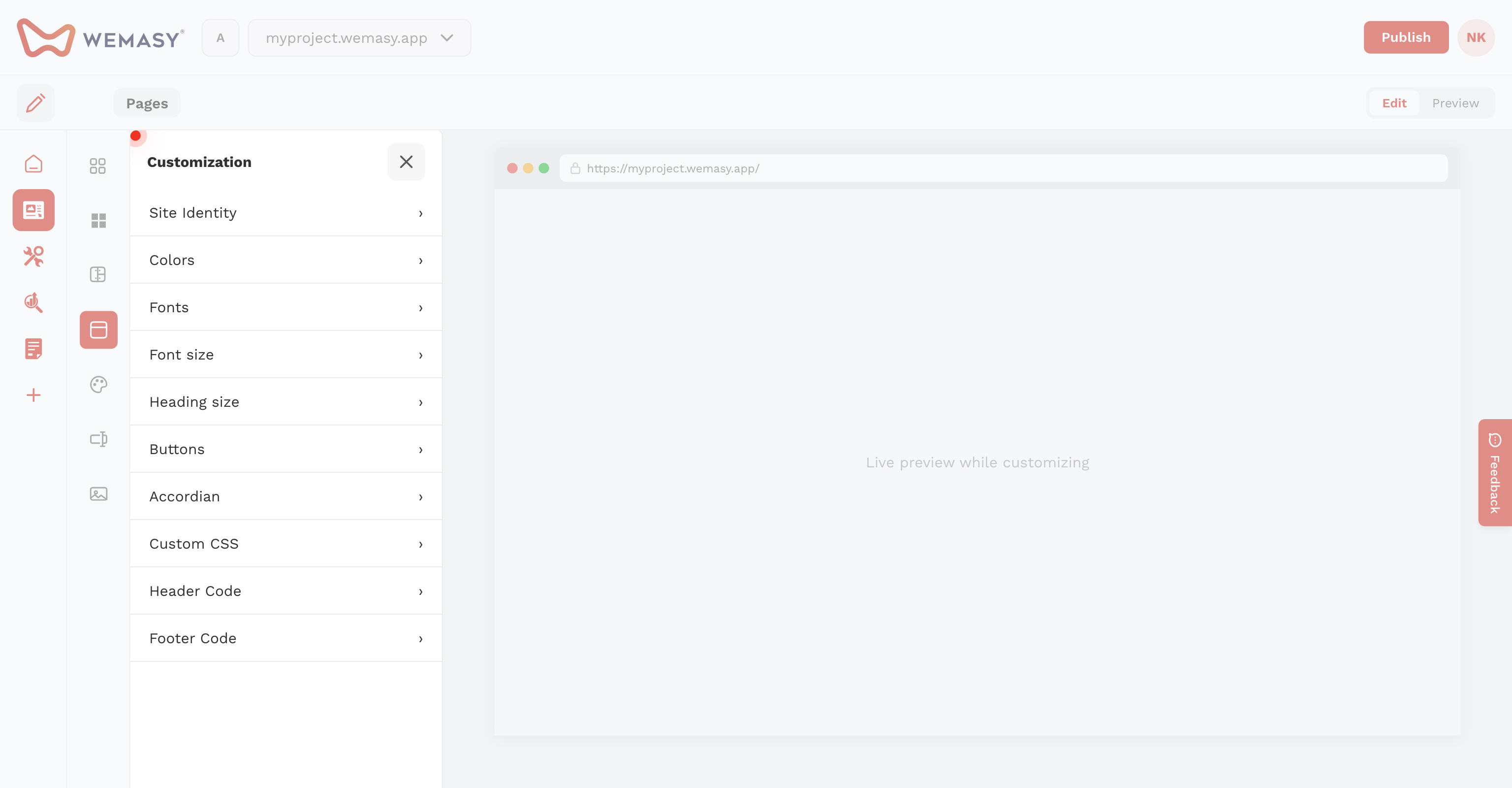
- Open Website Builder.
- Click Customization in the left sidebar.
- Click Font size or Heading size.
Font size: text styles
Font size holds the sizes of the text styles you pick in the text toolbar. Click Desktop Font Size, Tablet Font Size or Mobile Font Size to see the fields for that device.
- Text size (Small) and Text size (Normal) for normal text.
- Text size (Heading 6) up to Text size (Heading 1) for larger text styles.
Heading size: H1 to H6
Heading size holds the sizes of real headings, the H1 to H6 tags. Click Desktop Headings, Tablet Headings or Mobile Headings and set Heading size (Heading 1) up to Heading size (Heading 6).
Change a size
- Open the device you want to change.
- Click in the field of the size, for example Heading size (Heading 1).
- Type the new size in pixels, for example 40px.
- Click outside the field. The change is saved and the canvas updates.
Use the device switcher above the canvas to check the result on Tablet and Mobile. See Edit mode and the builder interface.
Good starting values
The default sizes start at 14 pixels for small text, 16 pixels for normal text and 48 pixels for Heading 1. On mobile, make large headings smaller, for example 32 pixels for Heading 1, so long words do not run off the screen. Keep normal text at 16 pixels or more on every device for comfortable reading.
Tip: change sizes here rather than on each text. Then your whole site stays consistent and one change updates every page. The fonts themselves are set in Fonts in customization.
Frequently asked questions
One heading did not change size
That text probably has its own font size set in the text toolbar. Select the text and set the font size back to Normal, so it follows the global sizes again.
What is the difference between Font size and Heading size?
Heading size sets the H1 to H6 headings. Font size sets the text styles you choose in the toolbar, including large text styles that look like headings but are not heading tags.