

The Forms dashboard shows how many submissions your forms bring in. You see the total for a period, how it compares with the period before, and a chart of submissions over time. Use it to spot a form that suddenly gets fewer submissions, or to see the effect of a new page or campaign.
Open the dashboard
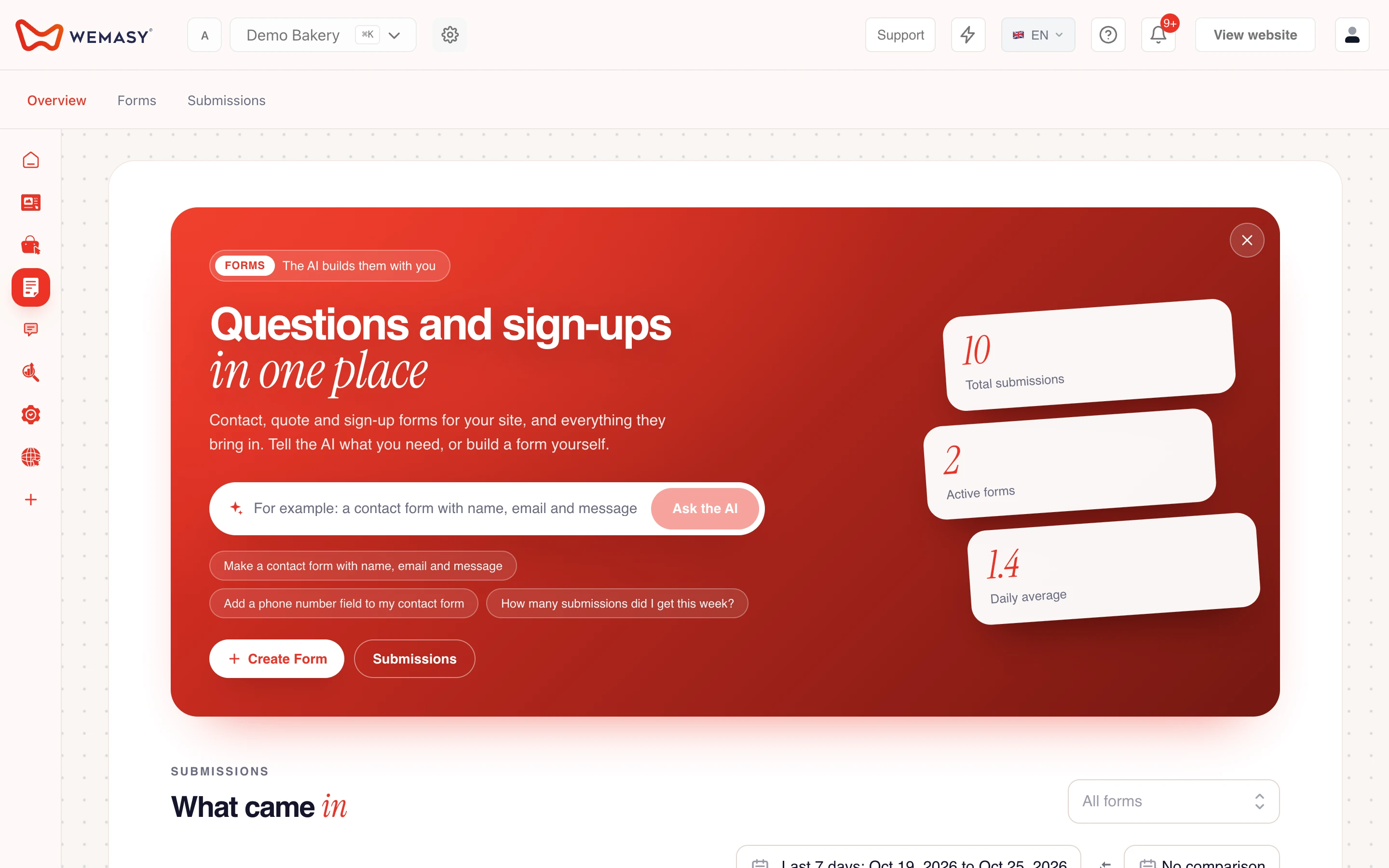
- Move your mouse to the left edge of the screen to open the product switcher.
- Select Forms.
- Click Overview in the top menu if another page is open.
At the top of the page is a prompt where you can ask the AI to build or change a form, or ask questions such as how many submissions came in this week. The numbers are under What came in.
Choose what you see
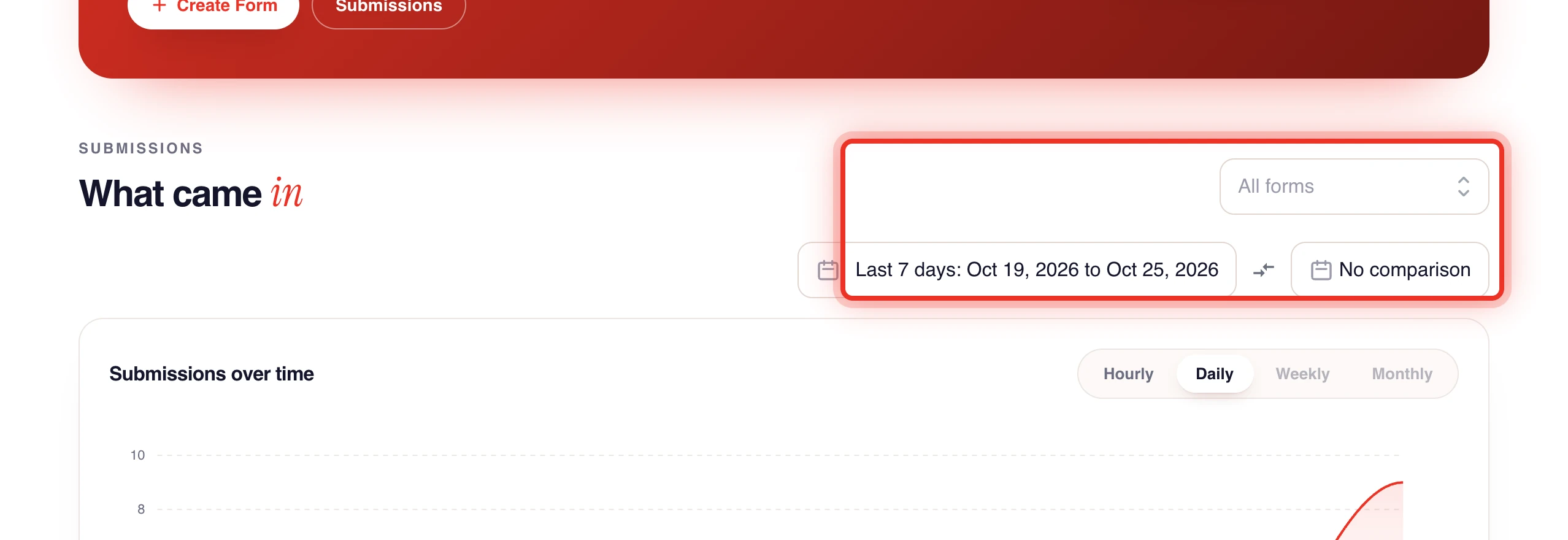
- Choose one form, or All forms.
- Choose a date range, such as Today, Last 7 days, This month, Last month, This year or All time.
- Choose what to compare with: Previous period, or No comparison.
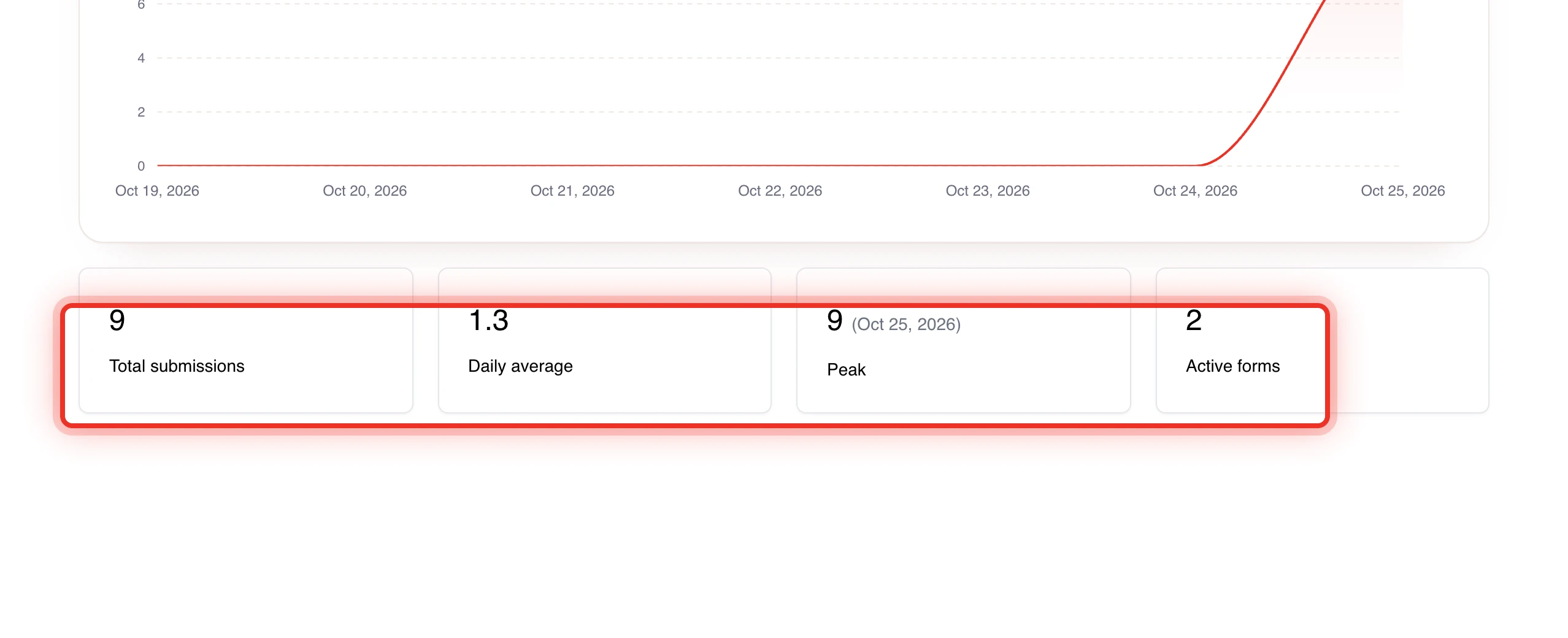
The numbers
- Total submissions: all submissions in the period.
- Daily average: the total divided over the days of the period.
- Peak: the best period, with its number of submissions.
- Active forms: how many forms received submissions.
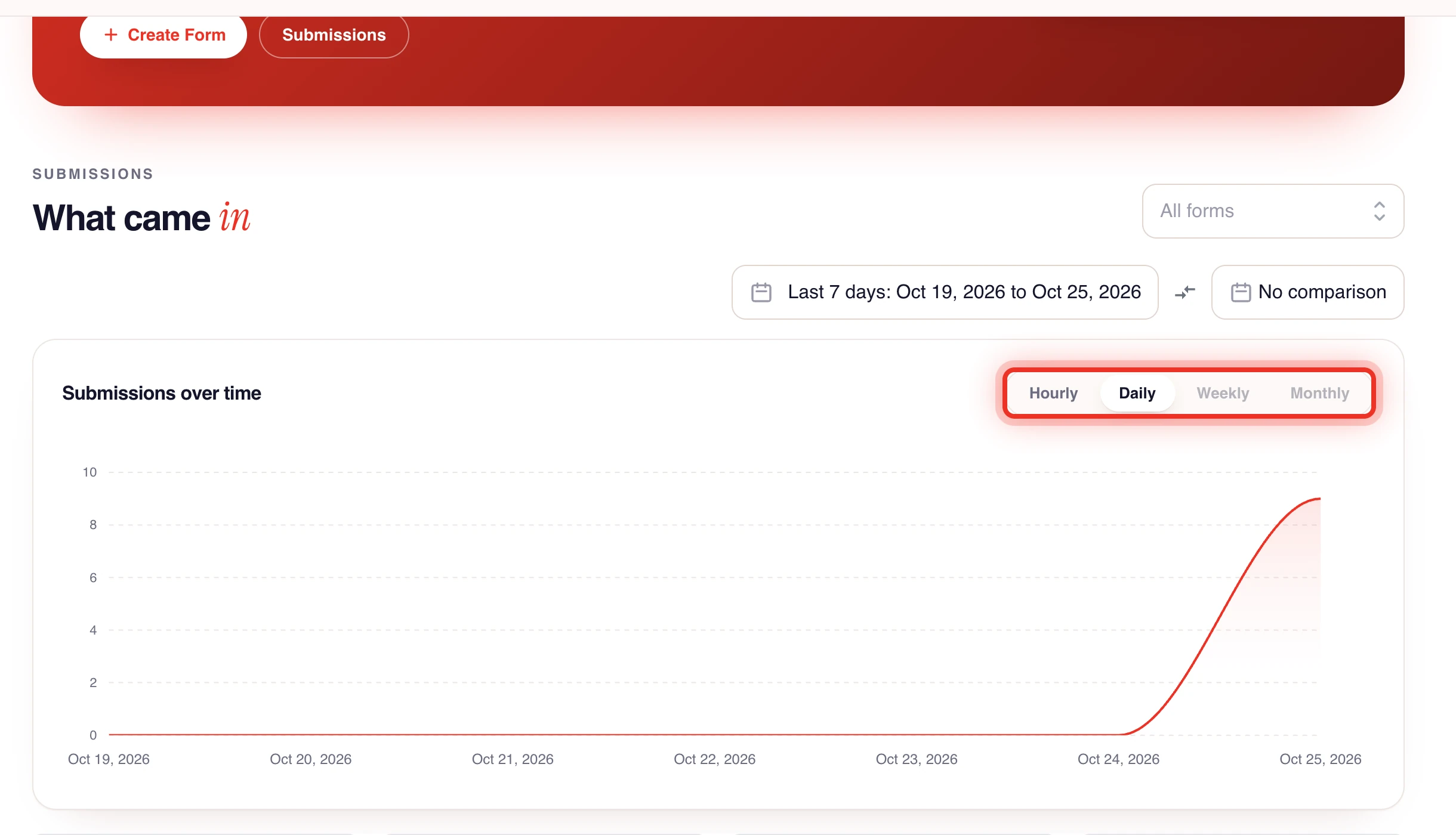
Submissions over time
The Submissions over time chart shows the submissions per Hourly, Daily, Weekly or Monthly interval. With a comparison on, the previous period shows as a second line. When there are no submissions in the range, the chart shows "No submissions in this date range".
From numbers to messages
The dashboard shows counts only. To read the submissions themselves, click Submissions in the top menu. See Form submissions.
Frequently asked questions
Why does the dashboard show zero while I expect submissions?
Check the date range and the form filter first. If the Submissions list is empty too, read Form emails or submissions not arriving.
Do deleted submissions count?
No. The dashboard counts the submissions that are in your Submissions list.
Tip: Compare with the previous period after you change a form or a page, so you see straight away whether the change helped. If something looks wrong, see Form emails or submissions not arriving.