

Every time a visitor sends one of your forms, WEMASY saves a submission in your dashboard. The submission is saved even when an email fails, so the Submissions page is the one place where you can always find every message. From there you can read, search, filter, export and delete submissions.
Open your submissions
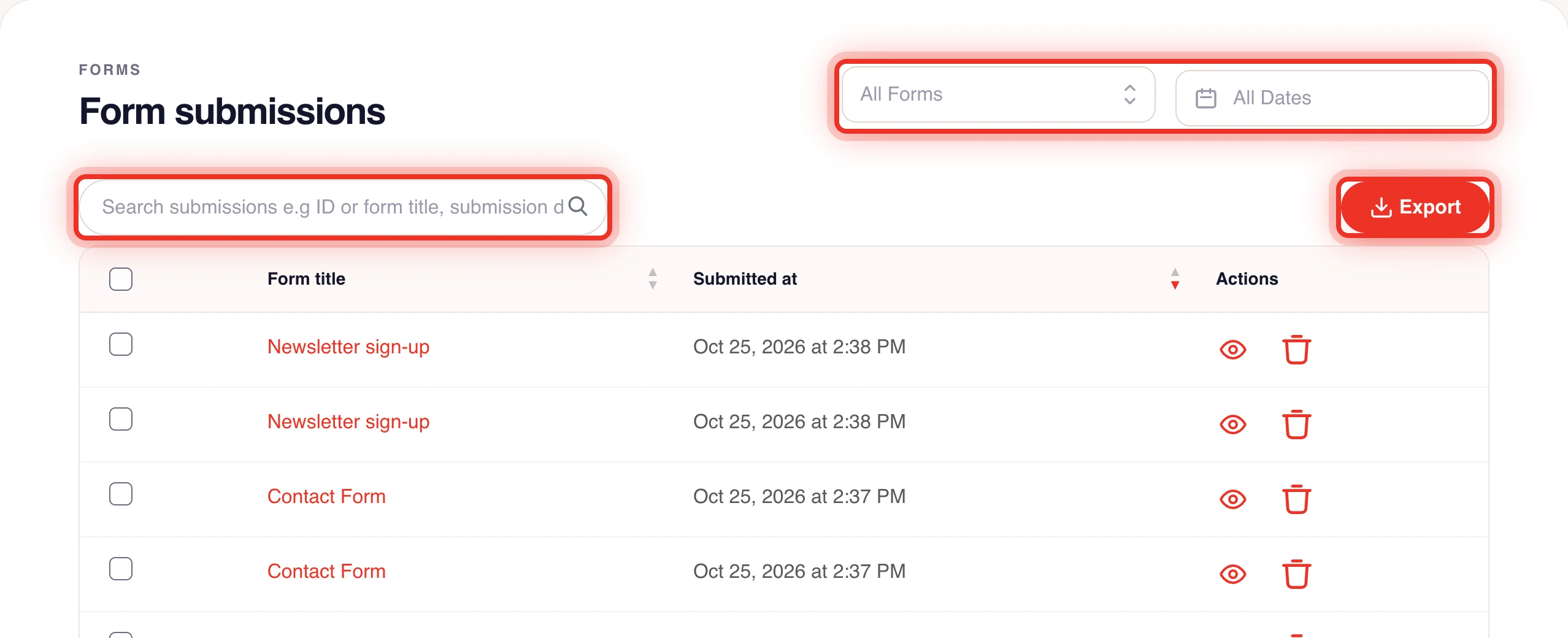
- Open Forms from the product switcher.
- Click Submissions in the top menu.
The list shows the form title and the Submitted at time of each submission, newest first. To see the submissions of one form, you can also click Form submissions in that form's row in the Forms list.
Filter and search
- Choose a form in the All Forms filter.
- Pick a date and time range in the All Dates filter. Click Show all dates to remove it.
- Type in the search box to search by ID, form title or submission date.
Read a submission
- Click View (the eye icon) in the row of a submission.
- Read the answers. Uploaded images open with View image, and uploaded files have a download link.
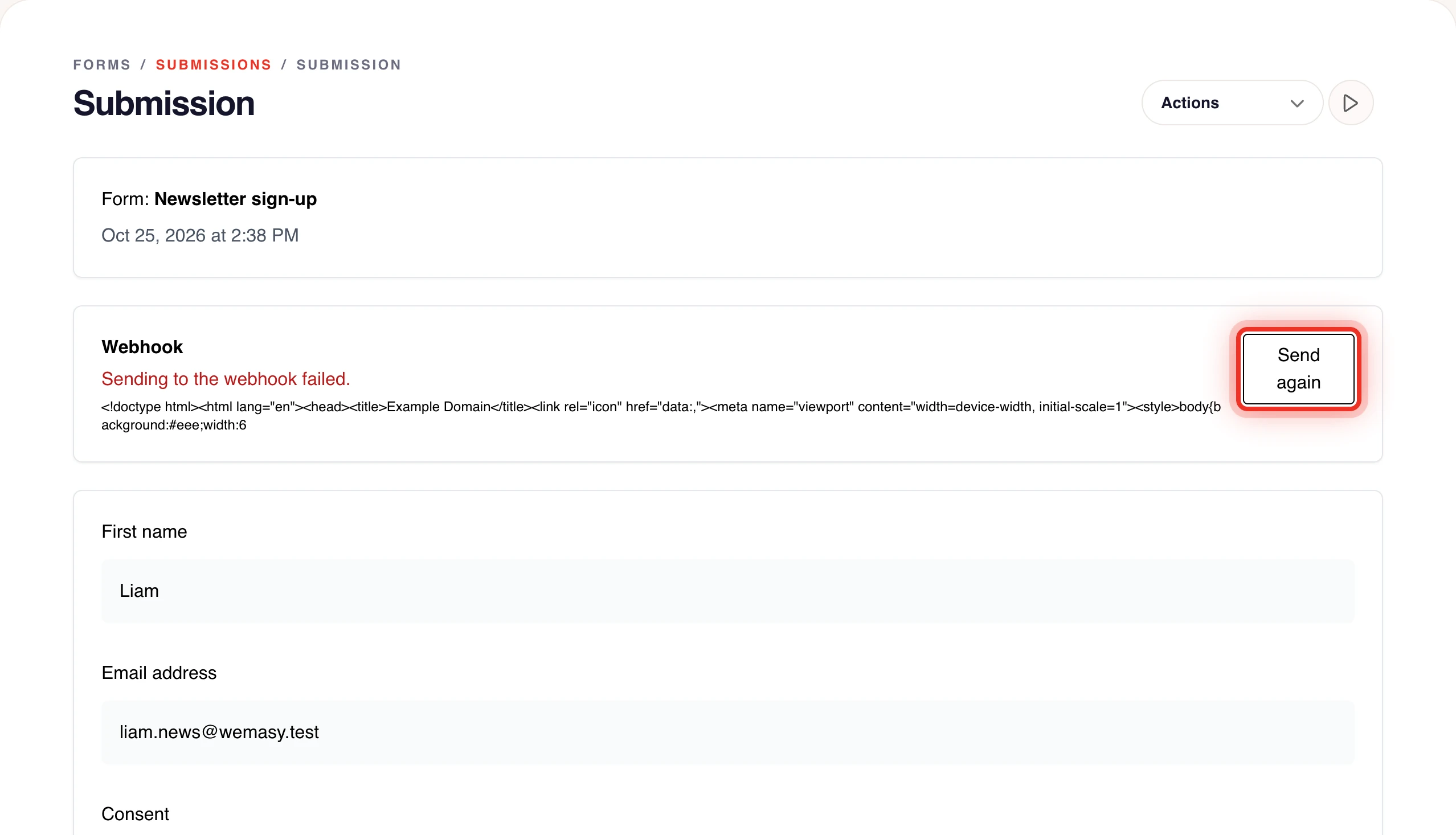
When the form has a webhook, the submission also shows whether it was sent to the webhook. If sending failed, click Send again.
Export submissions
- Set the filters you want, for example one form and last month.
- Click Export.
- Choose what to export: the current page, the selected rows or all data.
- Choose the format: xlsx, csv or json.
- Start the export.
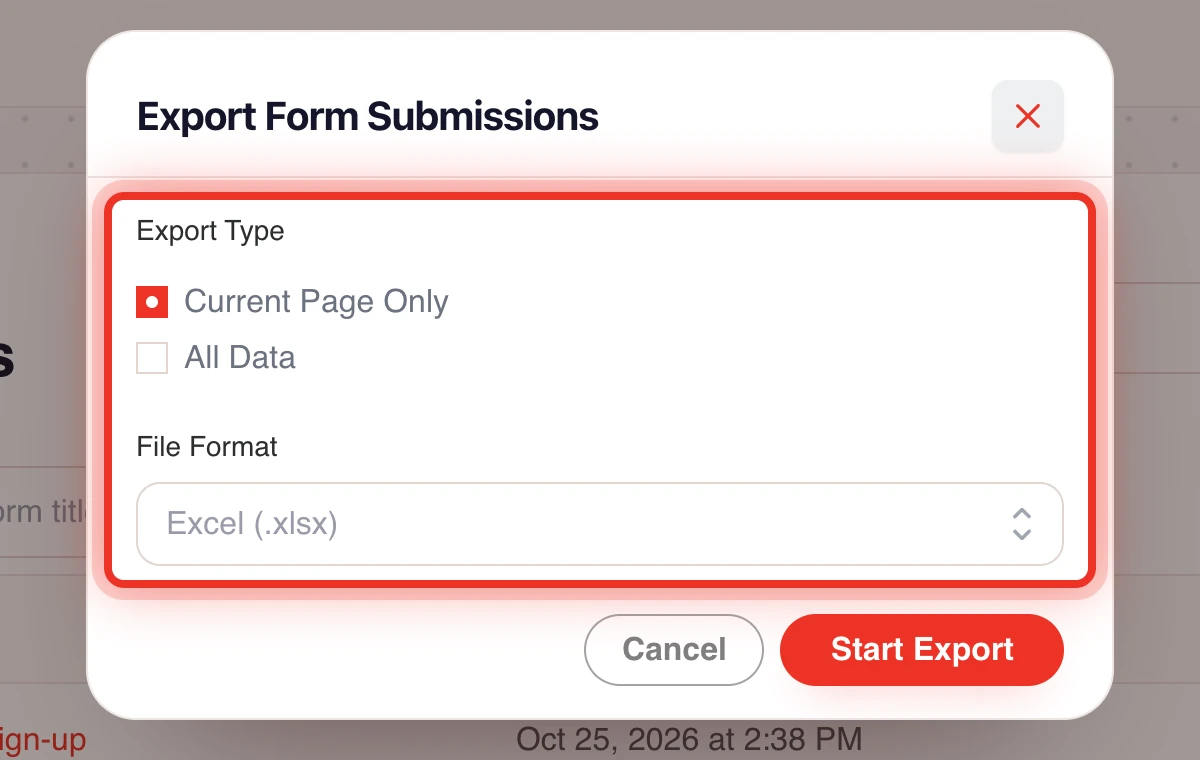
Large exports of more than 500 submissions are prepared in the background and sent to you by email.
Delete submissions
- Tick the submissions you want to delete.
- Choose Delete and confirm.
Deleting cannot be undone. Export first if you need to keep a copy.
Frequently asked questions
I got an email but cannot find the submission. Why?
Check the form and date filters, and click Show all dates. Submissions are saved before any email is sent, so they are always in the list unless someone deleted them.
Do I get a notice in the dashboard for a new submission?
Yes, when Notify owner is on for the form. Everyone in the project then sees a notification with a link to the submission, next to the email.
Missing a submission you expected? See Form emails or submissions not arriving. For the numbers over time, open the Forms dashboard.