

Session recordings let you watch a visit to your website as a video: where the visitor moved, clicked, scrolled and stopped. Watching a few recordings is often the fastest way to find a page that confuses people, a button nobody sees, or a form that visitors give up on.
Open the Recordings page
- Open Analytics & Insights.
- Click Recordings in the menu. On a small screen, find it in the three dots menu.
- Pick a period in the date field.
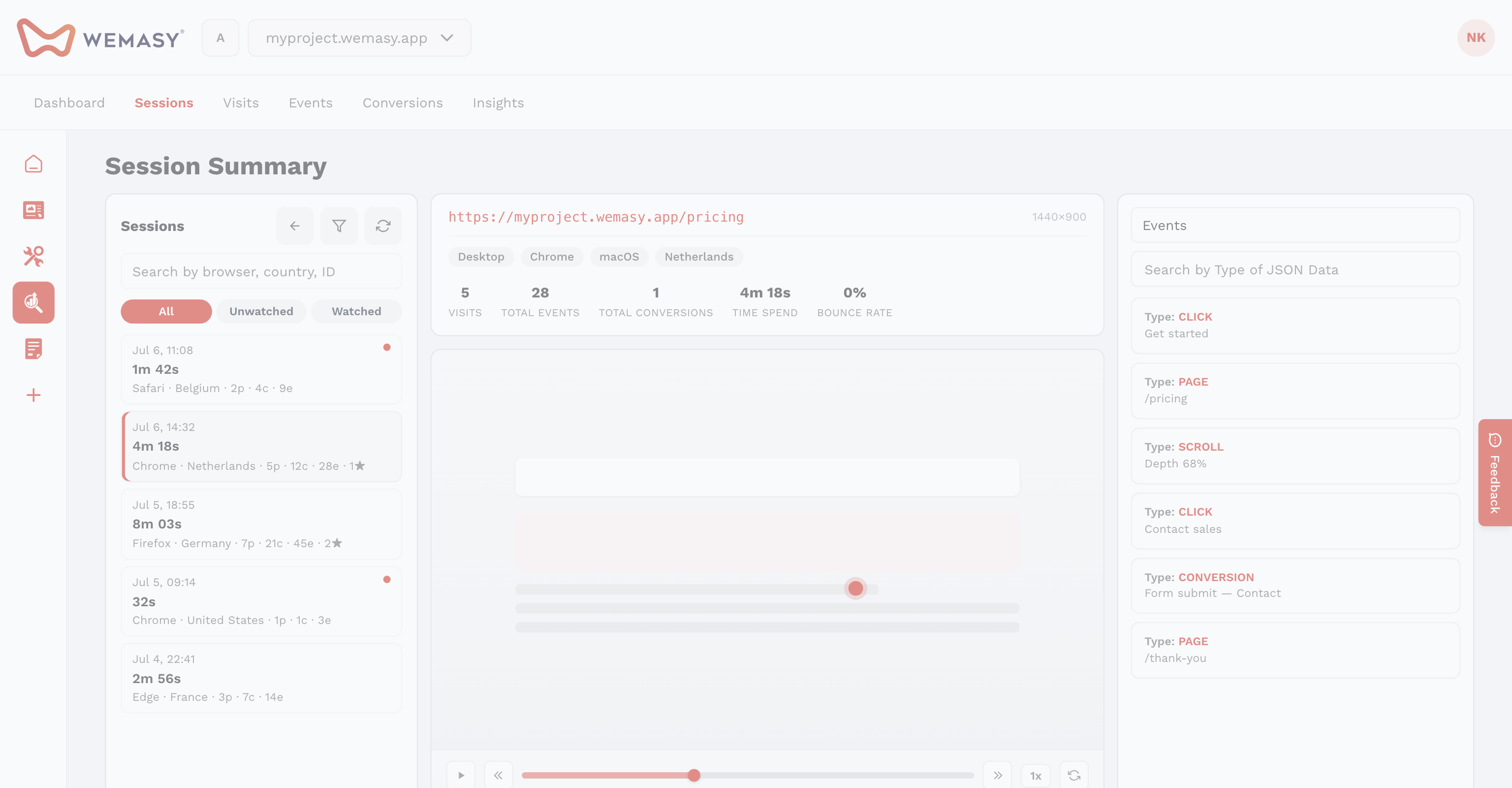
Each recording shows the page where the visit started, the browser, the country, the number of pages and the number of conversions. Recordings you have not opened yet carry a New label.
Find the recordings you have not seen
- All shows every recording in the period, newest first.
- Unwatched shows only the recordings you have not opened yet.
Click Show more at the bottom to load older recordings.
Watch a recording
- Click a recording to open the Session replay.
- Read the summary at the top. It tells you in one sentence on which device the visitor came, how many pages they viewed, how long they stayed and how often they clicked.
- Press play to watch the visit.
- Click a step under What this visitor did to jump to that moment in the video.
Player controls
- Skip backward and Skip forward jump a few seconds back or ahead.
- Replay starts the recording again from the beginning.
- skip inactive fast forwards through moments where the visitor did nothing.
- Click the video to pause or play.
Mark recordings as watched
A recording counts as watched once you open it. You can also click Mark as watched on the replay page. In the Sessions list, use Mark as watched or Mark as unwatched to change the status of a visit.
See all details of a visit
Click All details (events, clicks, pages) below the steps to see every event, click and page view with its time. From here you can also turn a click into a goal. See Conversions and goals.
When a visit has no recording
- A recording starts when a visitor spends more than a second on your website. Very short visits have no recording.
- If your website asks for cookie consent, recordings are only made for visitors who allow analytics. Visitors who decline are still counted as visits. Read more in Analytics privacy and visitor consent.
- Recordings only exist for your published website, not for the editor or previews.
Tip: when you change an important page, watch five to ten recordings of that page in the week after. Patterns show up quickly.
Frequently asked questions
Can visitors see that they are recorded?
Recordings run in the background and do not change how your website looks. Mention analytics and recordings in your privacy statement, and use the cookie consent bar if your visitors need to give consent.
Why does the Recordings page say there are no recordings in this period?
Pick a longer period, and check that your website is published. If it is, there may have been no visits of more than a second, or no visitors who allowed analytics.