

A sitemap is a list of the pages on your website that search engines read to find your content. WEMASY creates the file sitemap.xml for you every time you publish, so you do not have to build or upload it. One setting decides whether pages you keep out of search results are listed too.
What WEMASY puts in your sitemap
- Your published pages.
- Published structure items and their category pages, such as blog posts.
- Webshop products and product categories, when you use the webshop.
By default WEMASY leaves out pages marked Do not index in search engines and pages with a canonical URL that points to another address.
Your sitemap is at /sitemap.xml on your live domain, for example yourbusiness.com/sitemap.xml.
Change the sitemap setting
- Click Settings in the top right menu of the dashboard.
- Open the Site Builder tab.
- Find Advanced.
- Switch Include non-indexable pages in sitemap on or off.
- Click Submit to save your settings.
- Publish your website so the new sitemap goes live.
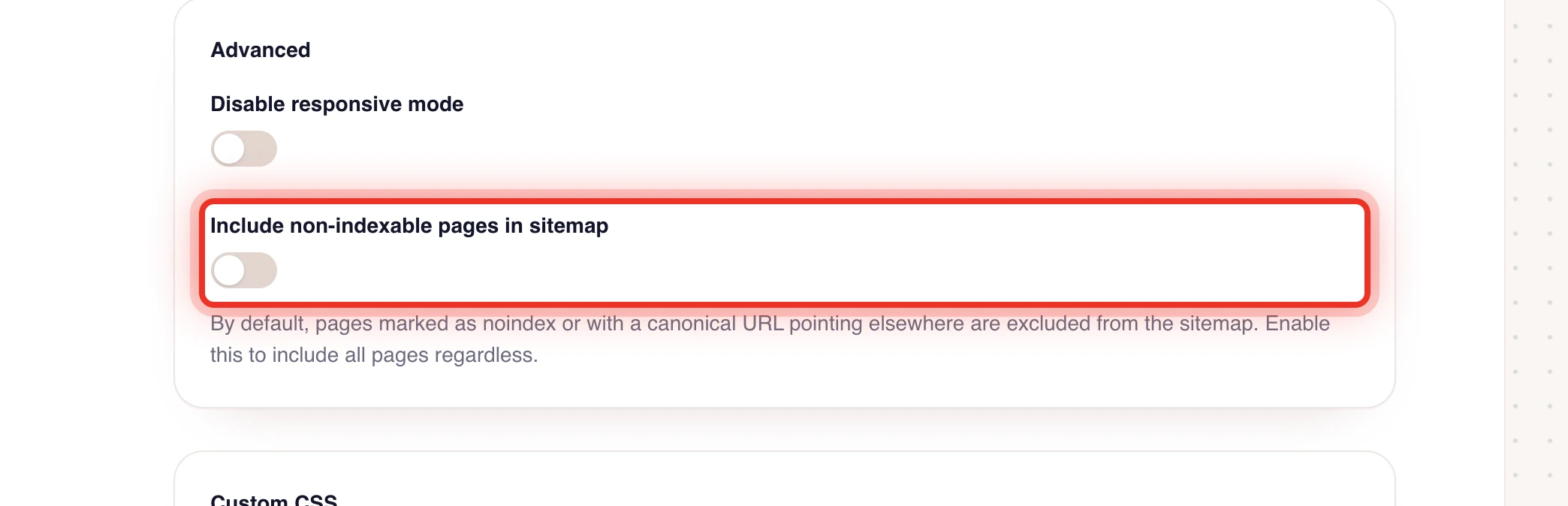
Keep the setting off unless you have a reason to list every page. A sitemap that only holds pages you want found gives search engines a clearer picture of your site.
Keep a single page out of the sitemap
- Open the page settings of the page.
- Switch on Do not index in search engines.
- Save the page and publish your website.
Submit your sitemap to search engines
Search engines find most sitemaps by themselves. To speed it up, add the address of your sitemap in the webmaster tools of the search engine, for example Google Search Console. Do this after your site is live on its final domain. With the SEO tool, WEMASY can do it for you: see Connect Google Search Console.
Tip: when you move a page to a new URL, add a redirection from the old address. The sitemap lists the new URL after the next publish. See Redirections and broken links.
Related: Generator and publish troubleshooting.
Frequently asked questions
A new page is missing from my sitemap.
The sitemap is made when you publish. Publish your website, then open /sitemap.xml again. Also check that the page is published and not set to Do not index in search engines.
Can I upload my own sitemap file?
No. WEMASY makes the sitemap from your pages each time you publish, so it always matches your site.