

While the WEMASY AI chat is working on your request, you can stop it. A square Stop button appears in the message box, next to the Send button, for as long as the AI is writing its answer. This article shows what the Stop button does, what you can type while the AI works and what to do if you do not like a change.
What the Stop button does
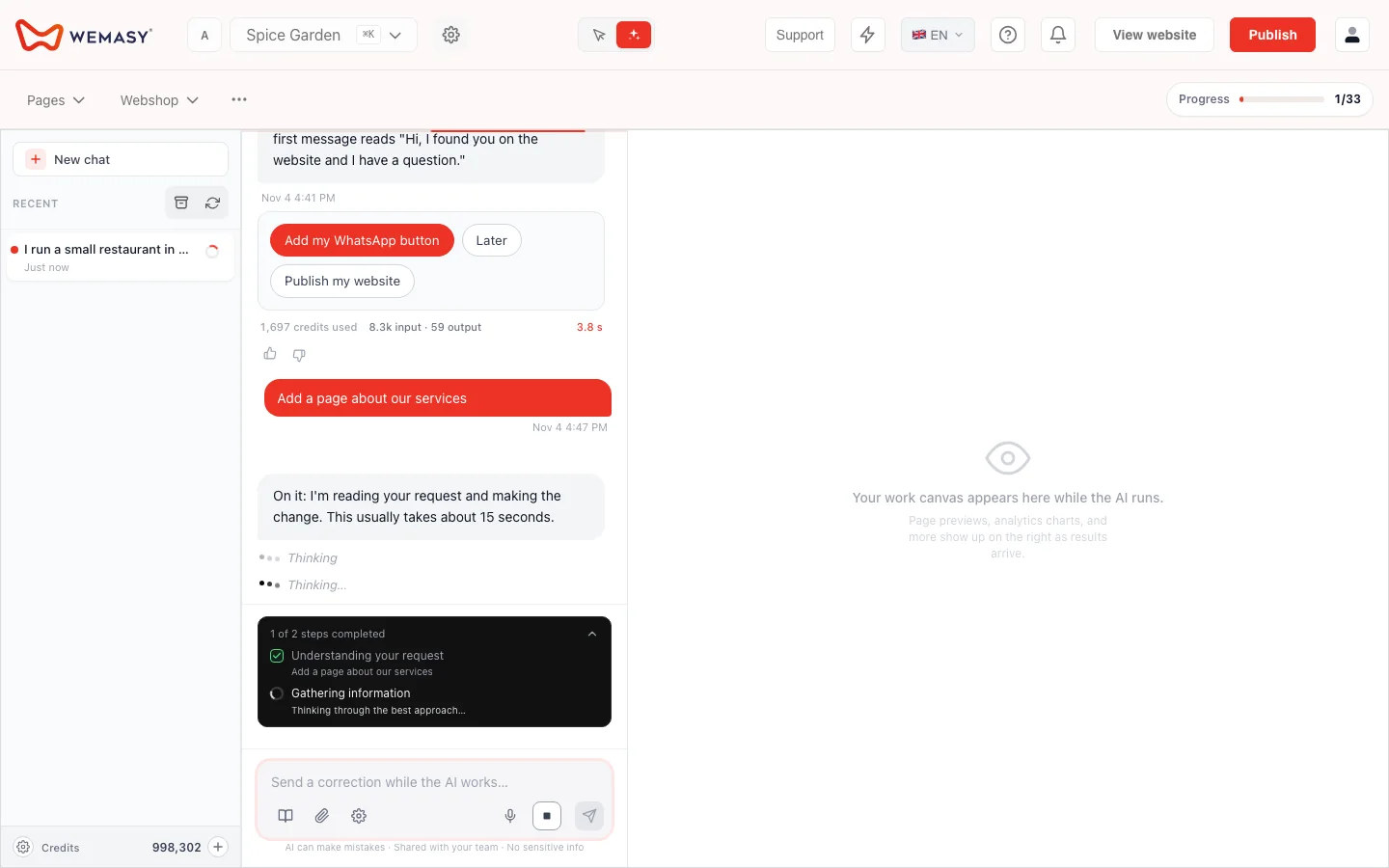
When you send a request, the AI starts working. While it works, the message box shows a separate square Stop button next to Send. Click it when you see the AI going in a direction you do not want, or when you sent a request by mistake.
The Stop button is its own button on purpose. Send stays Send, so you never press Stop by accident when you only wanted to add something.
What you can type while the AI works
You do not have to wait. If you type a message while the AI is working, it goes in as a follow-up to the request that is running. Use this to add a detail, for example "Make the heading shorter", without stopping what is already happening.
Follow what is being built
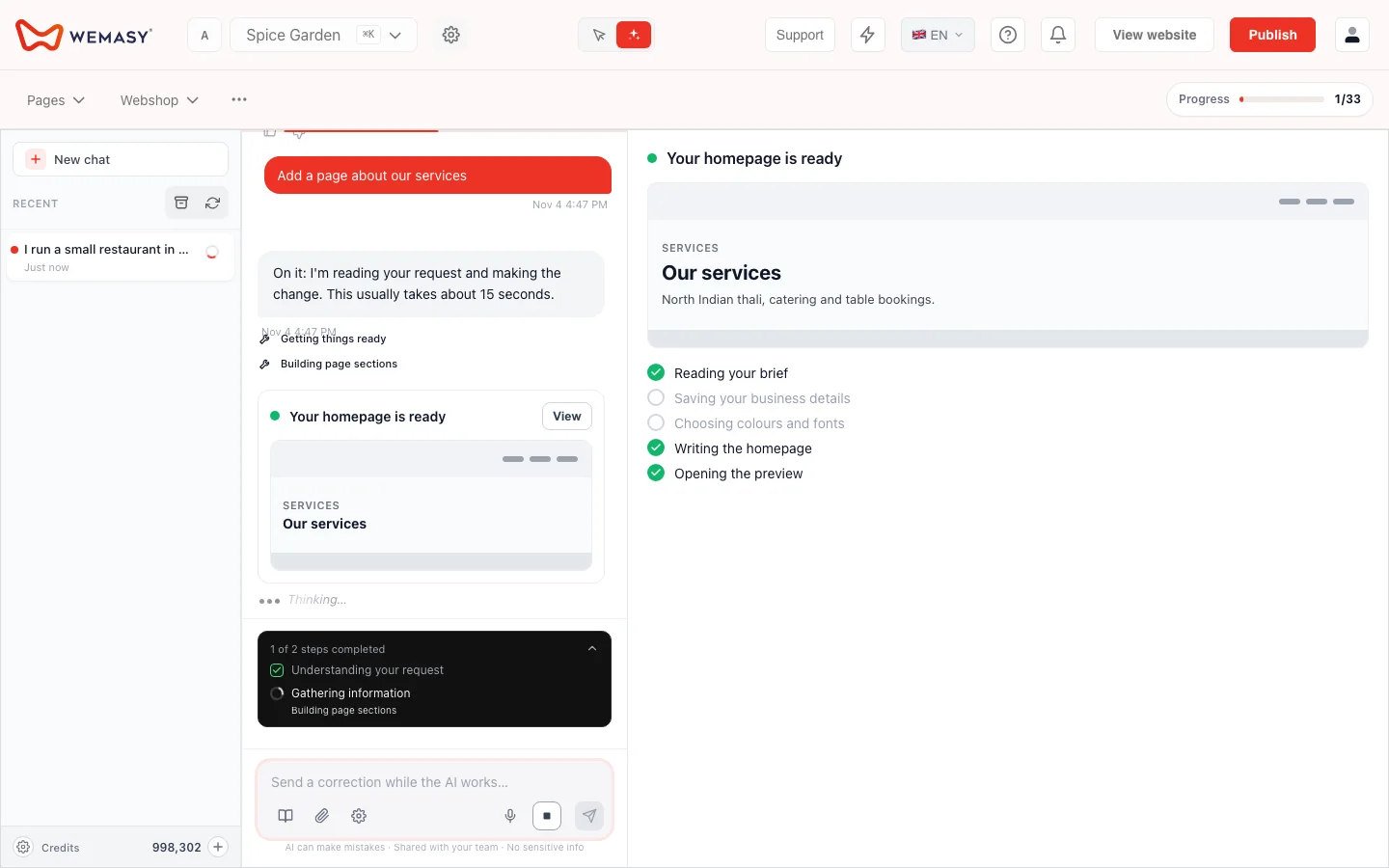
While the AI works, a progress line tells you what is being built, for example the header and menu, the sections with photos, or a first look that you can still change. The line does not promise a time. Use it to decide whether to wait, add a follow-up or stop.
If you do not like a change
Stopping is not the only way to go back. Your visitors only see changes after you publish your website, so you can look at the result first. Ask the AI to change it back, for example "Put the old heading back", ask it to restore an earlier version of your website (it confirms with you first), or edit the text yourself in the Website Builder. See AI chat confirmations and changes.
Frequently asked questions
Where is the Stop button?
In the message box of the AI chat, next to Send. It shows while the AI is working on an answer.
Can I type a new message while the AI is working?
Yes. It goes in as a follow-up to the running request.
Does Stop publish or delete anything?
No. Publishing and deleting always need your confirmation in the chat, and your visitors see changes only after you publish.
How do I undo something the AI already changed?
Ask the AI to change it back, restore an earlier version of your website, or edit it yourself in the Website Builder.
Does the AI use credits while it works?
Every AI answer uses some AI credits. See AI credits in the chat.