

A form can add the people who send it to a newsletter list in Newsletter & Campaign. Use it for a sign-up form, or for a contact form with a box visitors tick to also get your newsletter. People who join get an email to confirm first. After they confirm, campaigns on that list start for them, such as a welcome series.
Before you begin
- Your project needs Newsletter & Campaign. Without it, the Newsletter section does not show on the form settings.
- Create the list in Newsletter & Campaign first.
- The form needs an email field, so WEMASY knows the address to add.
Connect a form to a list
- Open Forms and click Forms in the top menu.
- Click Edit next to the form.
- Go to the Newsletter section.
- Choose the list in Add people who submit to a newsletter list.
- Choose who joins in Only add people who tick this box (see below).
- Click Update form.
Sign-up form or consent checkbox
- Everyone who submits (a signup form): every person who sends the form joins the list. Use this when the form is only for the newsletter.
- A checkbox of the form: only visitors who tick that box join. Use this for a form that is also for something else, like a contact form.
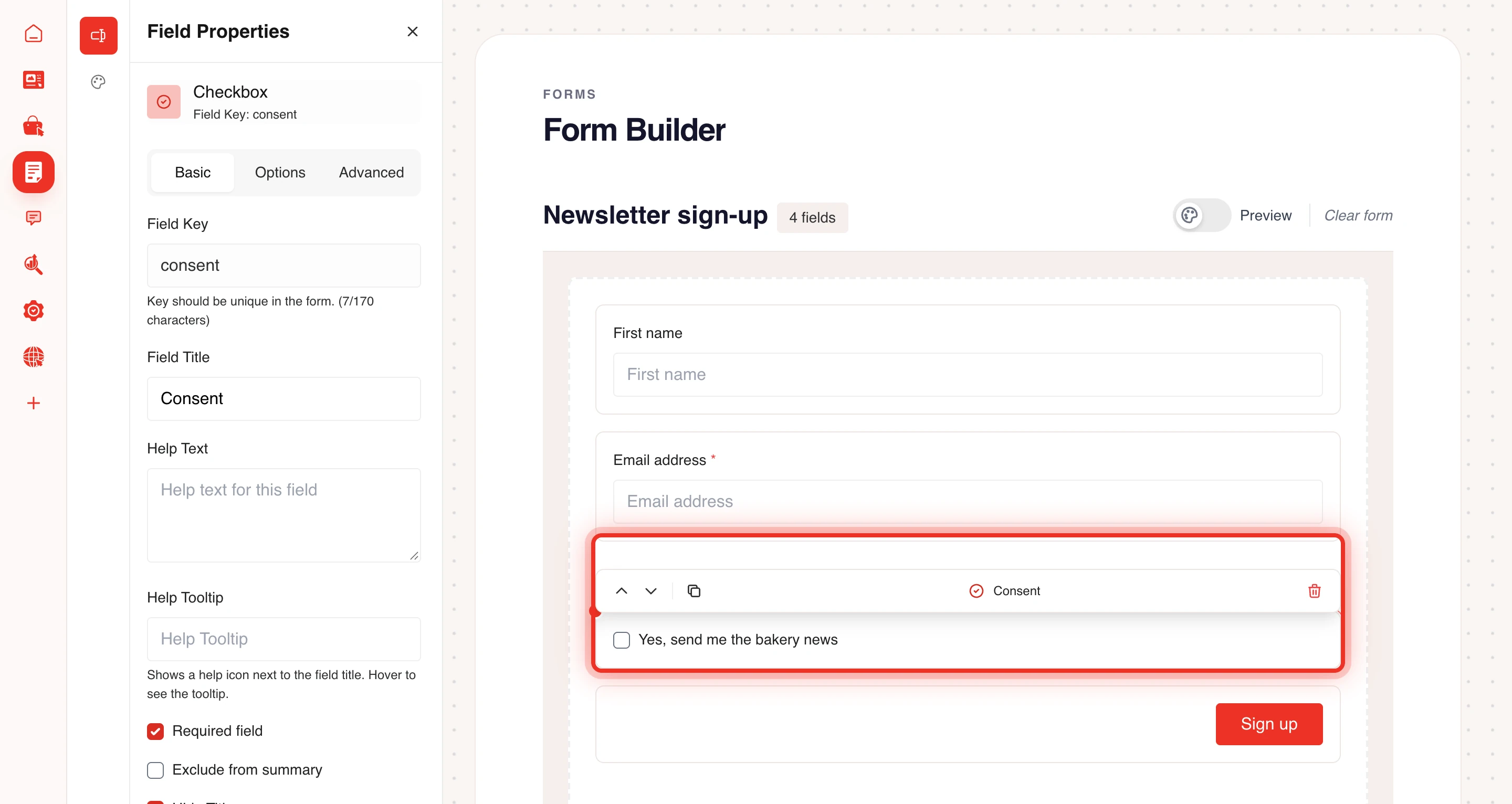
To use a checkbox, add it in the form builder first:
- Open the form in the Form builder.
- Drag a Checkbox (True/False) onto the form.
- Give it a clear title, for example "Yes, send me the newsletter".
- Go back to the form settings and pick this checkbox under Only add people who tick this box.
Read more about fields in Form builder and fields.
Stop adding people
Choose Do not add to a list in the Newsletter section and click Update form. People who already joined stay on the list.
Frequently asked questions
Why is someone not on my list after submitting?
They first get an email to confirm. Until they click the confirmation link they do not receive campaigns. With a consent checkbox, they also had to tick it.
Is the submission still saved?
Yes. The submission is saved and the other notifications of the form work as before.
For the other actions after a submission, see Email notifications and webhooks. For Newsletter & Campaign itself, start at Getting started with Newsletter & Campaign.