

If you have more than one project in WEMASY, the project switcher in the top bar takes you from one website to another. It opens a search box, so you find a project by name, domain, or ID even when you have many projects.
Where to find the project switcher
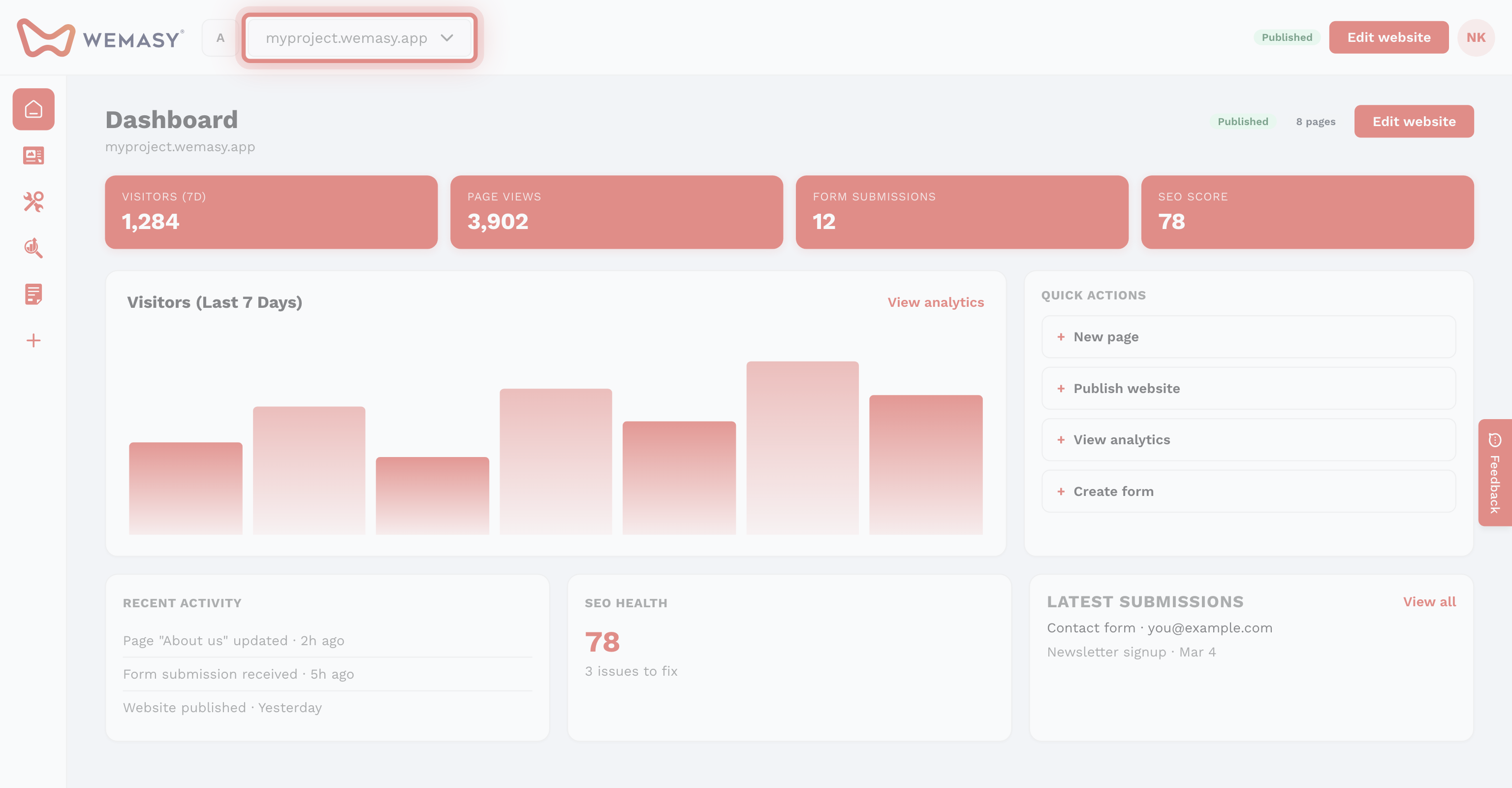
The project switcher sits in the top bar, next to the WEMASY logo. It shows the domain of the project you work in, or its title when the project has no domain yet. The gear icon next to it opens the project settings.
How to switch projects
- Click the project switcher in the top bar. You can also press Cmd+K on a Mac or Ctrl+K on Windows.
- Type part of the project name, domain, or ID in the search box.
- Click the project you want to open, or select it with the arrow keys and press Enter.
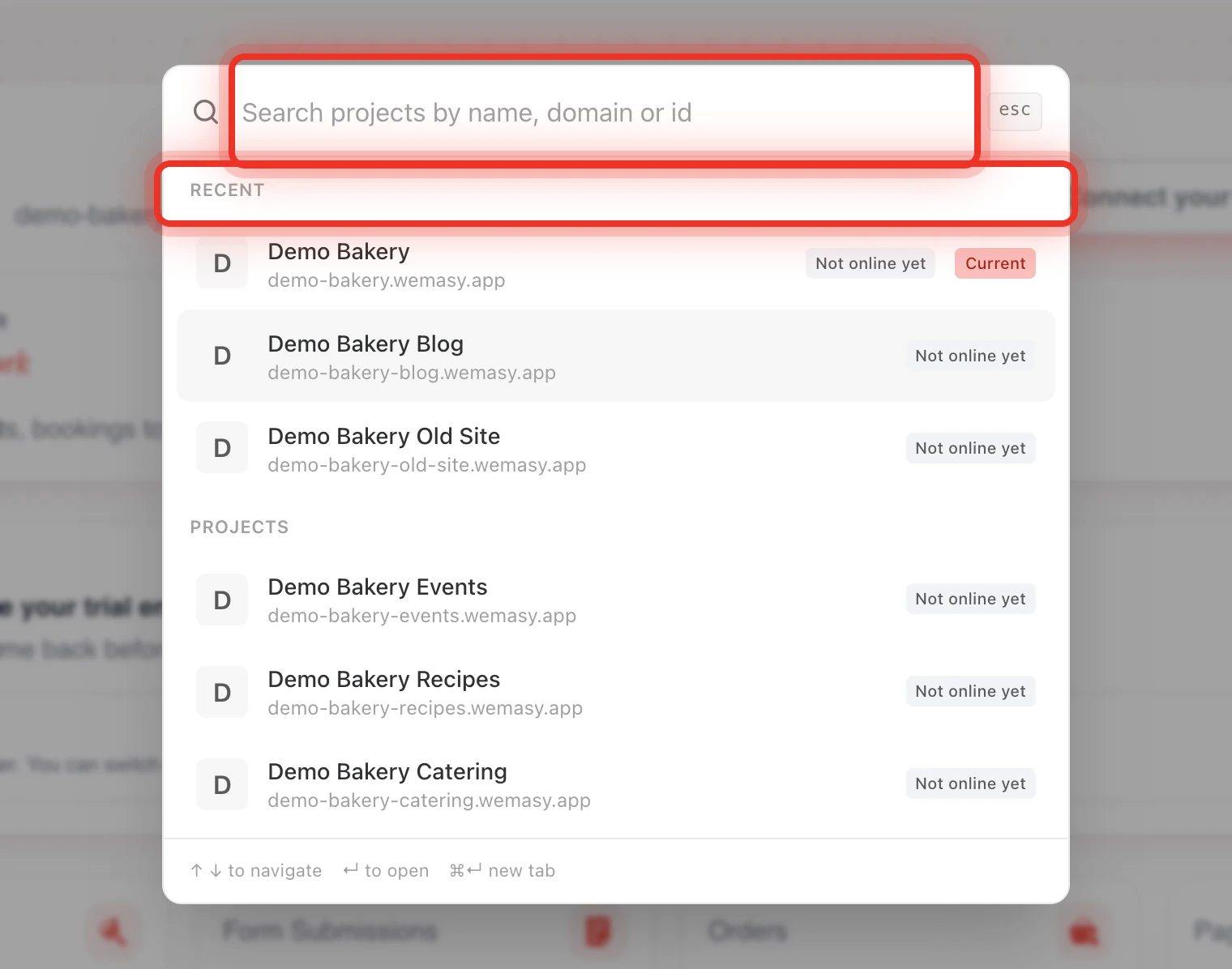
The dashboard reloads in the project you picked. The list shows your recent projects first and marks the project you are in with Current. Projects marked as a theme show a Theme label.
Open a project in a new tab
Each browser tab works in its own project, because the project is part of the web address of every dashboard page. To open a project next to the one you are in:
- Open the project switcher.
- Select the project with the arrow keys.
- Press Cmd+Enter on a Mac or Ctrl+Enter on Windows.
You can also Cmd+click or Ctrl+click a project in the list. Both tabs stay in their own project, so you can copy content from one website and paste it into the other.
Filter the list with a workspace
The square button left of the project switcher is the workspace switcher. Pick a workspace and the project switcher only shows the projects in that workspace. When a filter is on, the search box says Only projects in the selected workspace. Click Show all to search all your projects again. See What is a workspace?
All projects in one list
To see every project in a table, click your avatar or initials and select Projects. The table shows the title, domain, and time zone of each project. Click the gear icon in a row to open the settings of that project.
Tip: If something does not look right after a change, check the project switcher first. You may be working in another project in this tab.
Frequently asked questions
Why do I not see a project I expect?
A workspace filter may be on. Click Show all in the search box. If the project is still missing, ask its owner to invite you as a collaborator.
Does switching projects in one tab change my other tabs?
No. Each tab keeps the project that is in its web address.