

An AI assistant for your website is a chat where you ask for a change in plain words and the assistant does the work in your project. In WEMASY you can ask it to edit a text, add a page, create a form or look up your visitors. The most useful thing to know is where it stops: small changes happen straight away, while anything that is hard to undo waits for your answer. This article shows what you can ask, what the assistant does on its own, what it asks you first, and how to undo a change.
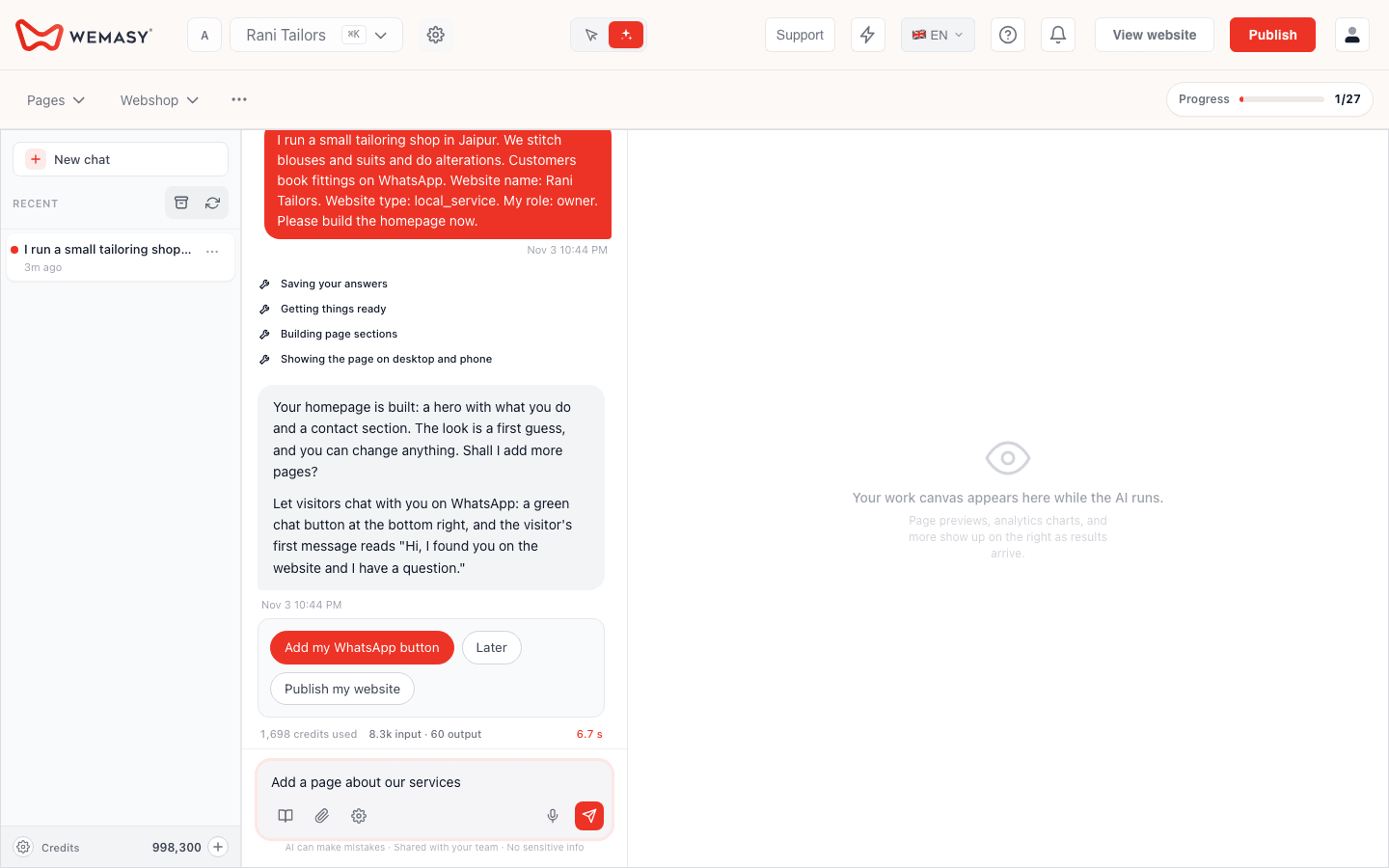
What you can ask the AI assistant to do
The WEMASY AI chat can do much of the work you would otherwise do by hand in the dashboard. It reads your project, makes changes and tells you what it did. It works only with the products your project uses. If a product is not part of your project, the assistant cannot use it.
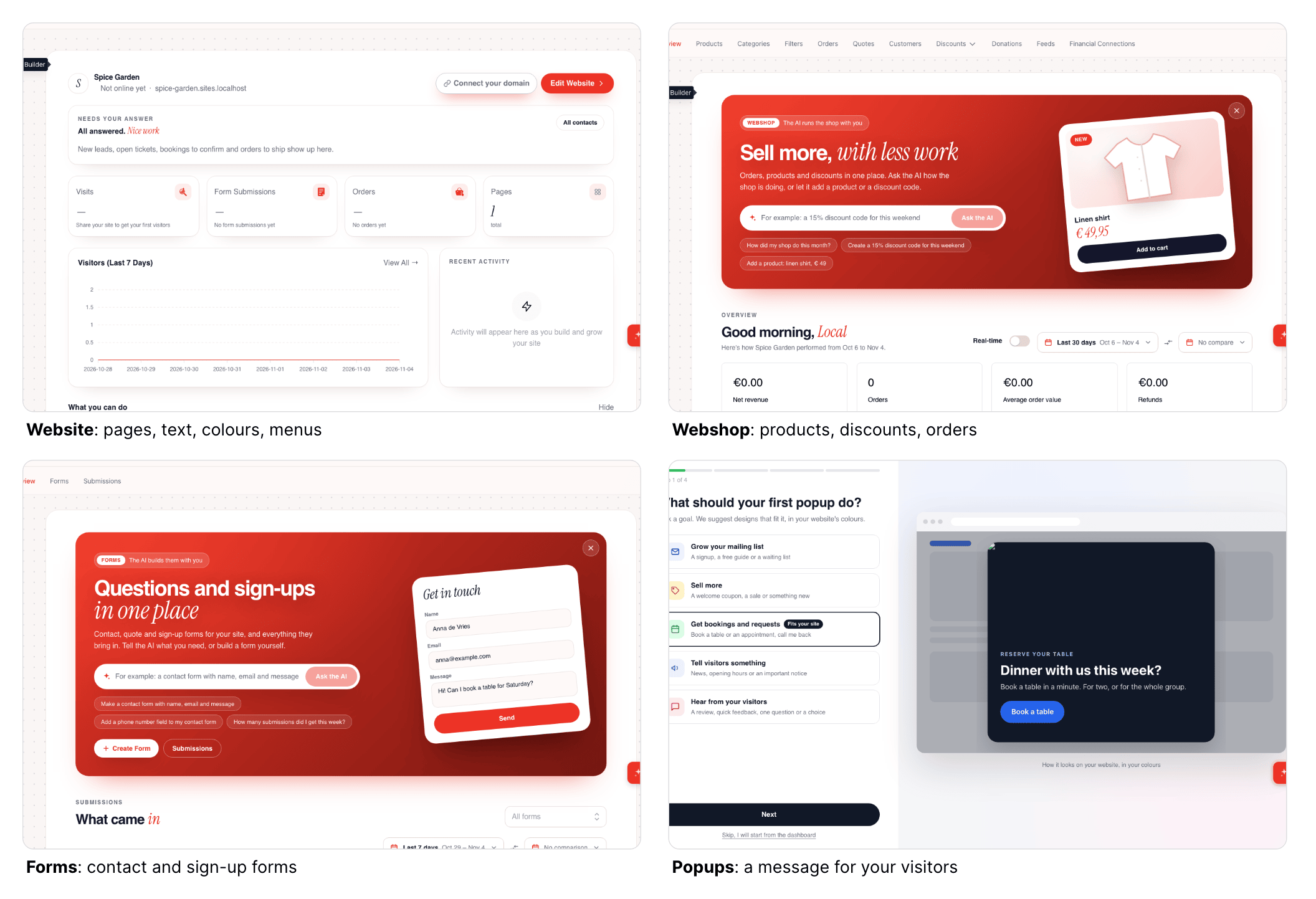
Build and edit your website
You can ask it to create a page, empty or filled with content, or to copy an existing page. It can add, change, move or remove sections on a page, and replace a text everywhere on your site, for example an old phone number. It can edit menus, the header and the footer, and change your logo, site title, colours, fonts and buttons. It can fill empty picture spots with stock photos and write blog articles.
Work in your other products
If your project uses them, you can ask for help with forms, your webshop, reservations and bookings, popups, redirects, SEO checks, newsletters and social media posts. For example, it can create a form and place it on a page, add products, or draft a campaign.
Answer questions about your business
You can ask about visitors, pages, traffic sources, countries and devices, and about your contacts and what still needs your answer. It can also look up your invoices and subscriptions, and explain how a WEMASY feature works by searching the help pages for you.
What the assistant does on its own
Everyday edits run straight away, because you can easily change them back. Examples are editing texts, images and sections, creating a new page, form or product, changing colours, fonts and your logo, and looking up information such as visitors or orders. The assistant tells you in the chat what it changed.
One thing keeps this safe: your visitors only see changes after your website is published. Until then you can look at the result and ask for another change.
What the assistant asks you first
For anything that is hard to undo or affects your live website, money or domain, the assistant stops, explains what it is about to do and waits for your answer. This covers:
Publishing. Putting your website live, changing the automatic publish schedule, and taking your website offline or back live.
Going back. Restoring an earlier version of your website.
Deleting and archiving. Pages, sections, menus, forms and their submissions, files, products, redirects and popups.
Domains. Changing DNS records or nameservers, changing the domain holder and disconnecting a domain.
Orders. Marking an order as paid, refunded or cancelled.
Ads. Launching ads, pausing keywords, blocking visitors and changing protection settings.
Other big actions. Running an import, duplicating a project, removing a theme and sending a support ticket to WEMASY.
Nothing happens until you answer. Say yes, or choose the yes option the chat shows and confirm it, to let it go ahead. Say no, or ask for a change, to stop it.
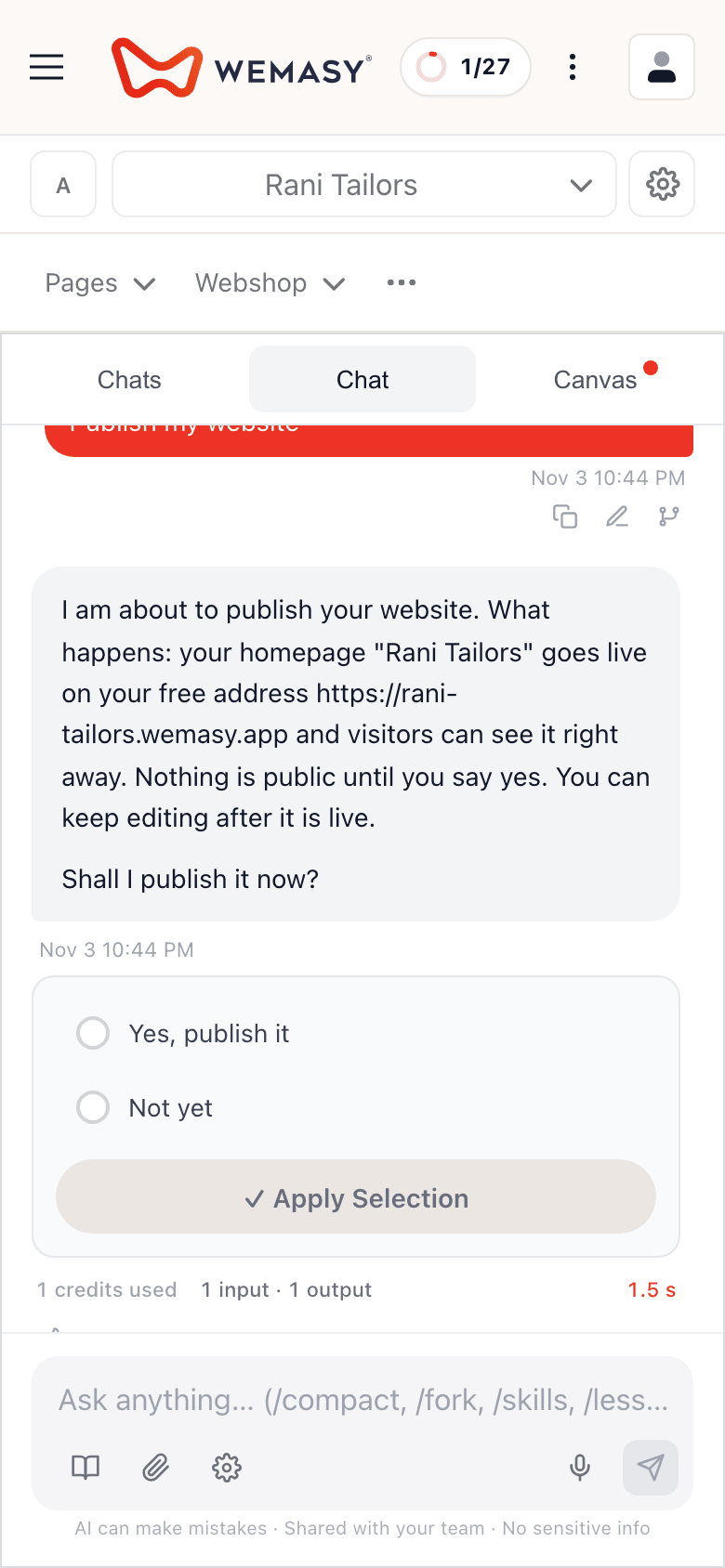
How to answer a confirmation well
Read what the assistant is about to do. For a publish, check the address it will publish to. Be specific when you say yes. If the assistant proposes to delete three pages and you only want two gone, say which two. A vague yes is the easiest way to lose something you wanted to keep.
How to undo a change
You have three ways to go back. Ask the assistant to change it back, for example "Put the old heading back". Ask it to restore an earlier version of your website, which it confirms with you first. Or fix it yourself in the Website Builder in Manual mode. Because visitors see changes only after you publish, you often have time to fix something before anyone notices.
What the assistant does not do
It does not work in products your project does not have. It does not delete, publish or make other big changes without your confirmation. It does not open websites outside your project unless you say yes. If you are not sure whether it can do something, ask. It tells you when a task is outside what it can do, and you can still do it by hand.
Frequently asked questions
Can an AI assistant for my website publish without asking me?
Does a declined action cost credits?
Can I use it in Hindi?
What if the assistant makes a change I do not like?
Does the assistant know about my other WEMASY tools?
Can I see what it did?
Where do the AI credits come from?
If you want to try it, open the AI chat in your WEMASY project, ask for one small change such as a new heading, and look at the result before you publish.