

Ask a guest how they want to contact a restaurant and many will say "just message me on WhatsApp". It is the app they already have open. A WhatsApp button on your website turns a visit into a chat with one tap, with no form to fill in and no phone call to make.
This guide shows how to add that button to a restaurant or cafe website, how to choose where it sits, and what the guest sees when they tap it. It also says plainly what the button does not do, so you know how to run it day to day.
What is a WhatsApp button on a website?
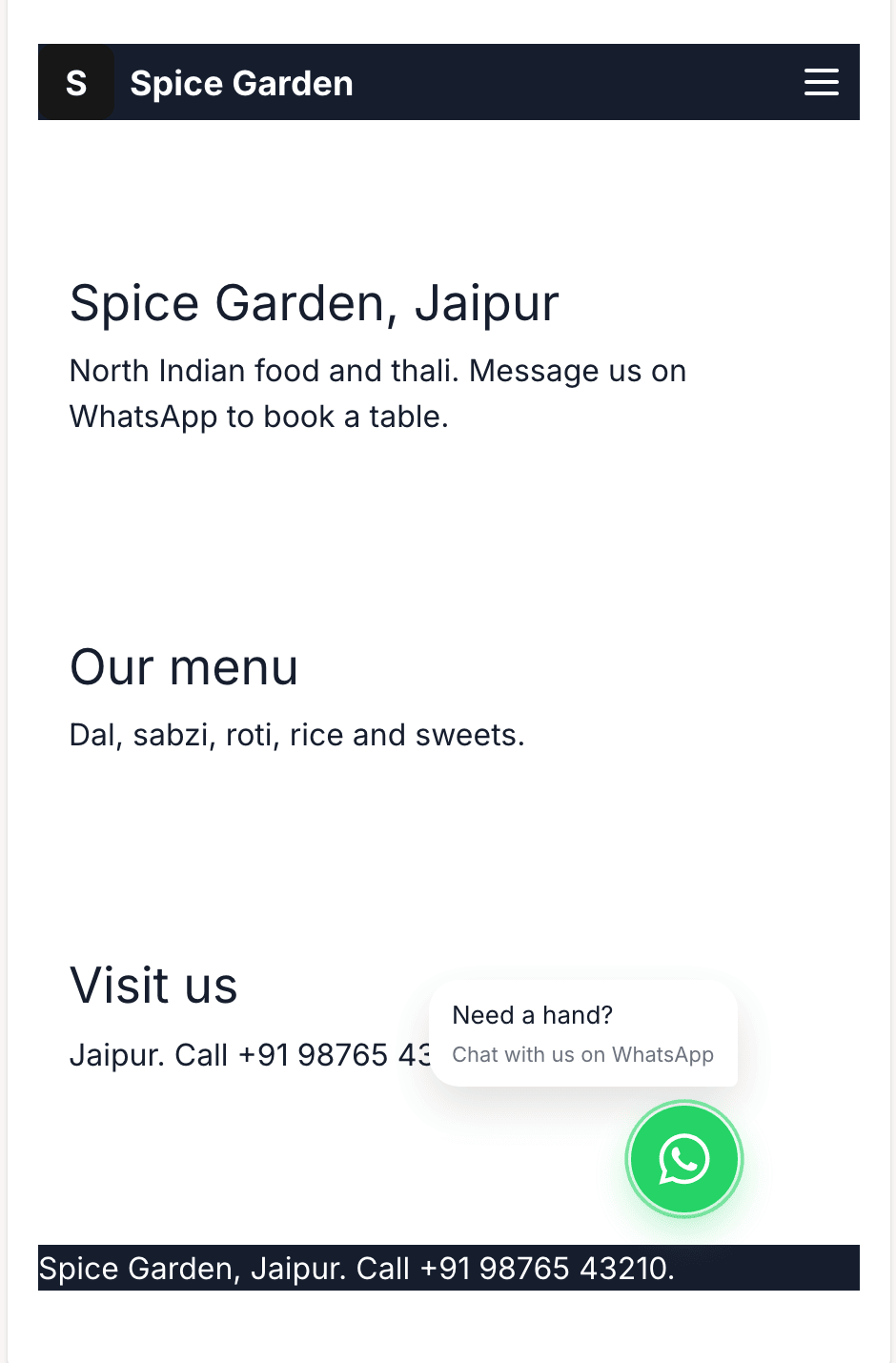
It is a small button on every page of your site. When a visitor taps it, WhatsApp opens with a chat to your business number and a first message already typed in. The visitor only has to press send.
In WEMASY you set three things:
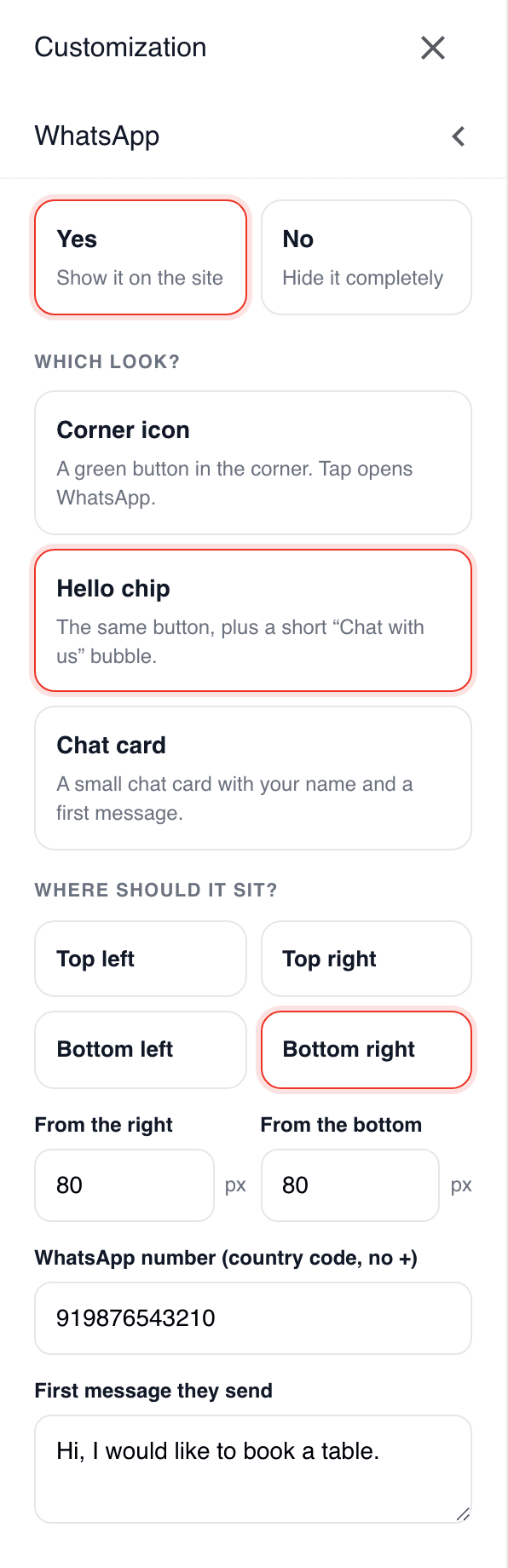
Your WhatsApp number, with the country code and no plus sign.
The first message, the text a visitor sends when they tap the button.
How it looks and where it sits, so it helps the guest without covering your menu.
The button is always WhatsApp green, so guests recognise it at once.
The problem is guests who want to ask something and leave
A guest looks at your site on their phone, standing outside or planning dinner. They want to know one thing: is there a table at eight? Do you deliver here? Is the lunch menu vegetarian? If answering means finding a phone number, copying it and making a call, many do not bother. They pick the next restaurant on the list.
A form on the site has the same problem. It asks for a name, an email, a phone number and a message, and then the guest waits for an answer by email. On a phone, that is a lot to ask for a simple question.
How restaurants that use chat well do it
Restaurants that get value from WhatsApp tend to follow a few habits:
They put the button where a thumb reaches it, usually the bottom corner of the screen.
They write the first message for the guest. A message such as "Hi, I would like to order" or "Hi, I would like to book a table for" saves the guest typing and tells you at once what they want.
They answer quickly and keep answers short. A guest on WhatsApp expects a reply in minutes, not hours.
They use the WhatsApp Business app on the phone that holds the number, so they can add opening hours, a short description and quick replies for questions they get every day.
They say what the chat is for. "Orders and table bookings by WhatsApp, 11 to 10" sets the right expectation.
Set up the button step by step
Step 1. Add your WhatsApp number
Enter the number your restaurant uses on WhatsApp, with the country code and no plus sign, and choose Yes to show the button on the site. Use a number you check during opening hours. If you have no business number yet, the free WhatsApp Business app is built for this and can run on a second number.
You can do this during the first setup of your site, or later under Styles, WhatsApp. A button without a number shows but does nothing, so always add the number.
Step 2. Write the first message
This is the text a guest sends when they tap the button. Keep it short and let it carry the intent. For a restaurant, good first messages are:
"Hi, I would like to order."
"Hi, I would like to book a table."
"Hi, is there a table free tonight?"
Pick the one that matches what most guests ask you. The guest can still change the text before they send it.
Step 3. Choose the style
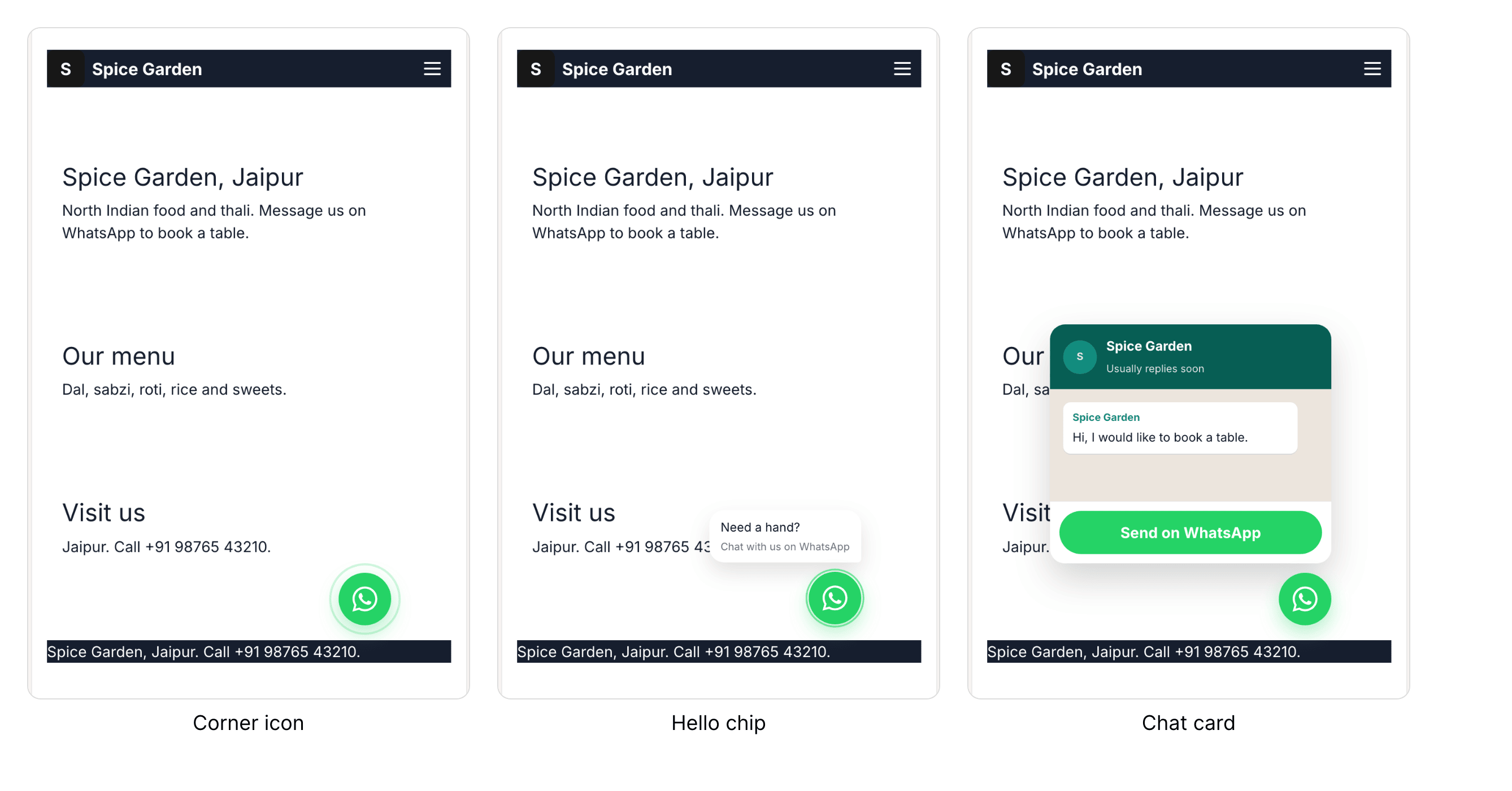
You can choose between three styles:
Corner icon: a green round button in the corner, the least intrusive.
Hello chip: the green button plus a small speech bubble that says "Need a hand? Chat with us on WhatsApp". The bubble text is fixed, you cannot change it.
Chat card: a small chat card with the name of your site. Your first message appears in the card as the greeting, and the guest taps to start the chat.
For a restaurant, the hello chip or the chat card usually works best, because the bubble or the card tells a guest what the button is for. The corner icon is a good choice if your pages are already busy.
Step 4. Choose the place
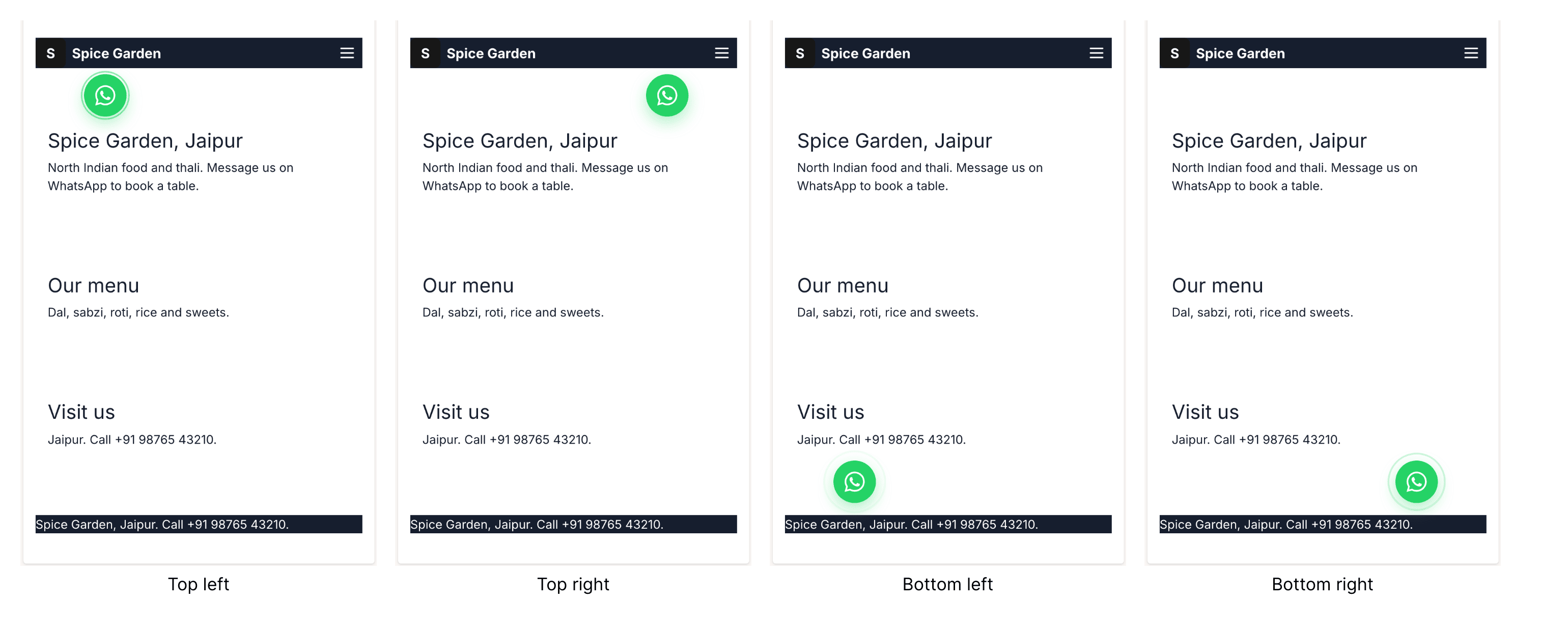
Put the button in one of the four corners of the screen. Bottom right is the common choice, because it is where a right thumb rests. You can also move it a little away from the edge, so it does not cover another button. If your site shows a cookie bar at the bottom, the WhatsApp button lifts above it by itself and drops back when the bar is closed.
Step 5. Check it on your own phone
Open your site on your phone and tap the button. WhatsApp should open with your number and your first message. Send it to yourself from a second phone if you can, and check that you see it where you will be working during service.
What the button does and does not do
This is worth knowing before you promise anything to guests.
It does: open a WhatsApp chat with your business number and your first message, on every page.
It does not: take or track orders for you, show a basket, or take payment. The conversation happens in WhatsApp, and you answer there, the way you would answer any other message. If you want payments or a full online menu, treat that as a separate step on your site.
For a small restaurant this is often exactly right: you keep the personal contact and avoid new software to learn.
Keep it working during service
Check the phone that holds the number during opening hours.
Use quick replies for questions you answer ten times a day: opening hours, address, whether you take bookings.
Say when you are closed. A short note on the site or in your WhatsApp Business profile avoids guests waiting for an answer at midnight.
Look at which first message gets used the most and make that your default.
Measure whether it works
You do not need a dashboard to see if the button helps. For two weeks, keep a simple tally:
How many chats started each day, from the WhatsApp Business app on the phone.
How many of those were bookings or orders.
At which hours most chats arrive, so you know when someone has to be at the phone.
If chats are rare, check where the button sits and whether the first message matches what guests actually ask.
What makes this work
One tap from your site to a chat with your restaurant.
The first message is written for the guest, so they only press send.
Three styles and four places, so it fits your design.
Always WhatsApp green, so guests know what it is.
It is a chat, not an ordering system, and that is its strength for a small place.
Frequently asked questions
Do I need a special WhatsApp account?
Can guests order and pay through the button?
Can I change the first message later?
Does the button show on every page?
Can I set this up in Hindi?
Try it on your own restaurant site
Start the AI chat, tell it about your restaurant, and add your WhatsApp number when it asks. Then open your site on your phone and tap the button.