

To build a website in Hindi, you can now simply talk to an AI in Hindi and tell it what your business needs. You do not need to learn website tools or find the right English words first. This article shows how to build a business website in Hindi step by step: what to write to the AI, what it asks you in return, what to check in the first version and how to put your site online on a free address.
Why building a website in Hindi used to be hard
Most website tools were made in English. Menus, help pages and even the words for things like "layout" or "section" assumed you were comfortable in English. For a shop owner who runs their whole business in Hindi, that creates a wall before the work even starts.
Talking to an AI removes that wall. You describe your business the way you would describe it to a customer or a neighbour, in the language you use every day, and the AI does the translation into a website.
What you need before you start
You need very little:
A phone or a laptop with internet.
A few sentences about your business: what you do, where you are and who your customers are.
Your WhatsApp number, if you want customers to message you from the site.
A few photos of your shop or your work, if you have them.
You do not need a logo, a domain or any technical knowledge.
Step 1. Start the AI chat and write in Hindi
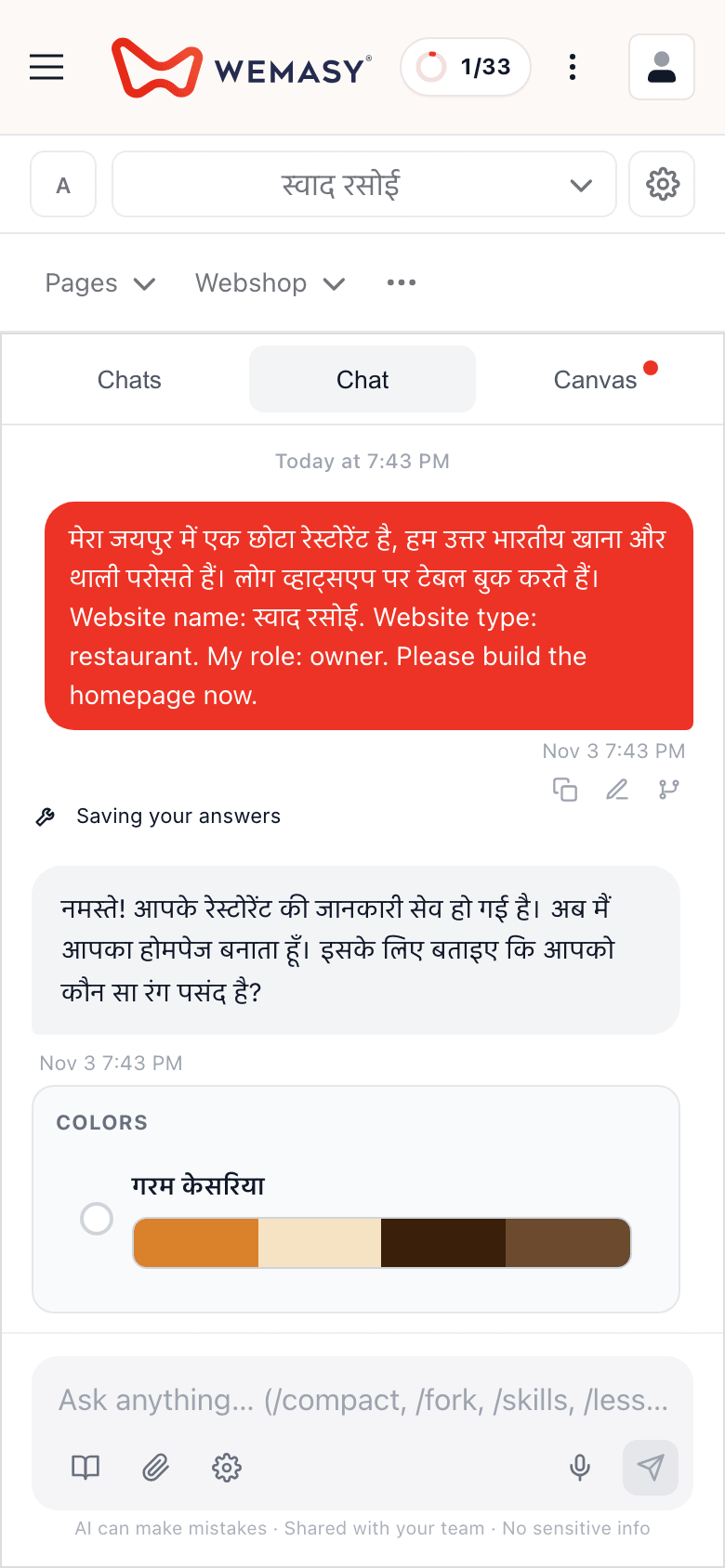
Open the AI chat and write about your business in Hindi. Write in Hindi, as if you were explaining your business to a new customer.
Here is the kind of message that works well:
मैं जयपुर में एक छोटी सिलाई की दुकान चलाता हूं। हम ब्लाउज़, सूट और अल्टरेशन करते हैं। ग्राहक ज़्यादातर आसपास की कॉलोनियों से आते हैं। मैं चाहता हूं कि लोग मुझे WhatsApp पर मैसेज कर सकें।
Notice what this tells the AI: what you do, where you are, who your customers are and how you want to be contacted. That is enough for a first version.
Step 2. Answer the questions the AI asks
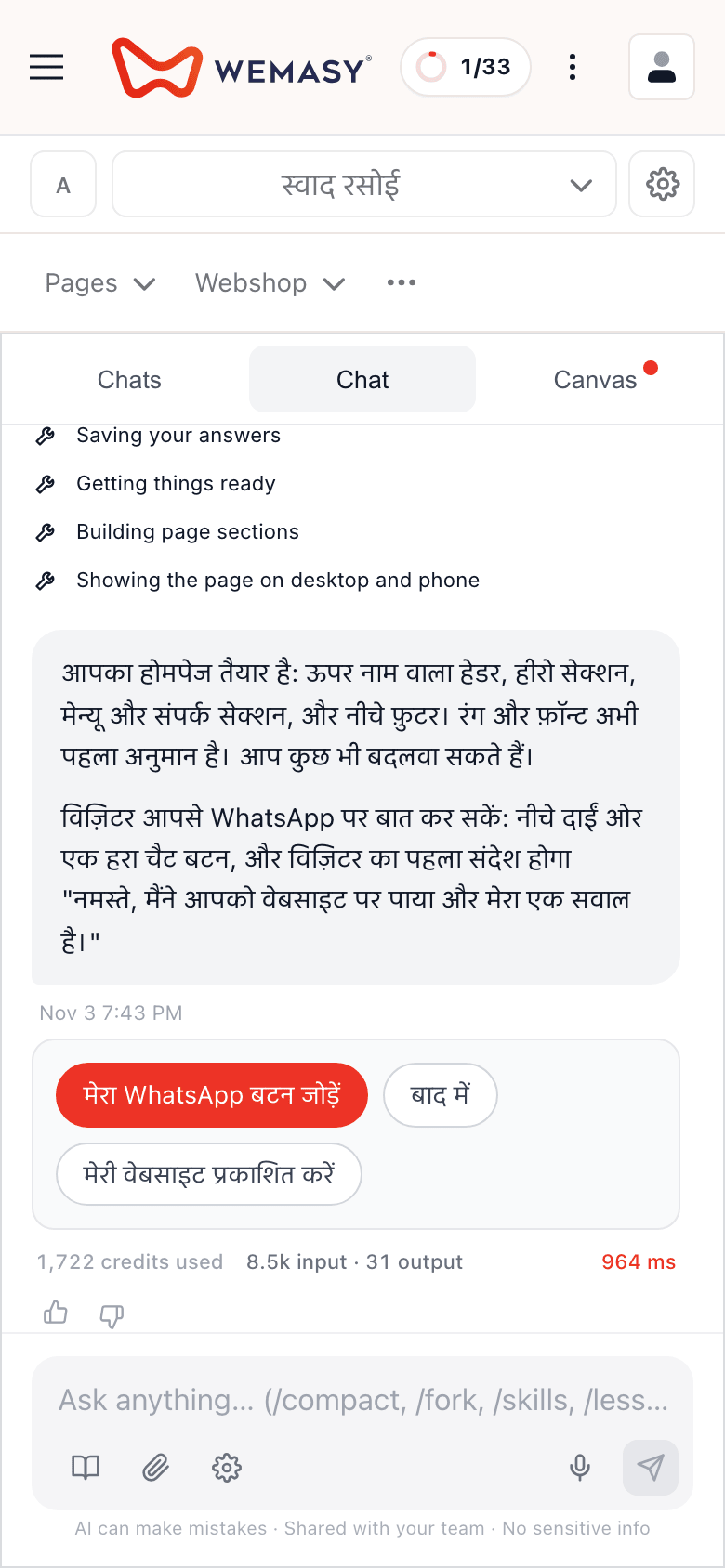
The AI asks short follow-up questions about your business. Answer them simply. If you do not know an answer yet, say so and move on, because you can change everything later.
Along the way the AI chat also offers to add a WhatsApp chat button, as one short card with Add my WhatsApp button and Later. The full set (number, style, corner and the first message a visitor sends you) is under Styles, WhatsApp.
The AI answers in Hindi too. WEMASY also answers owners in Gujarati, Bengali, Punjabi, Tamil, Telugu, Kannada and Malayalam, so the same way of working applies if Hindi is not your first language.
Step 3. Look at the first version
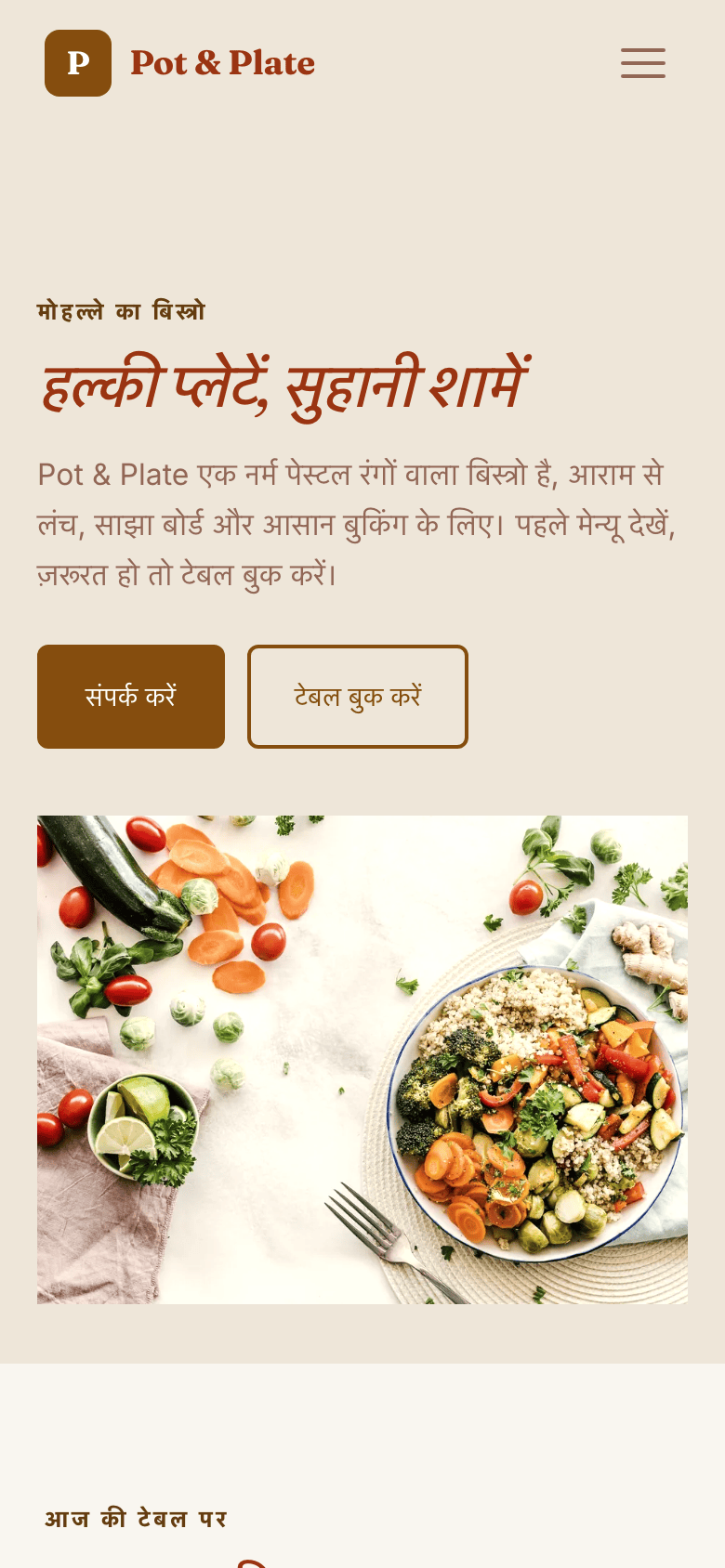
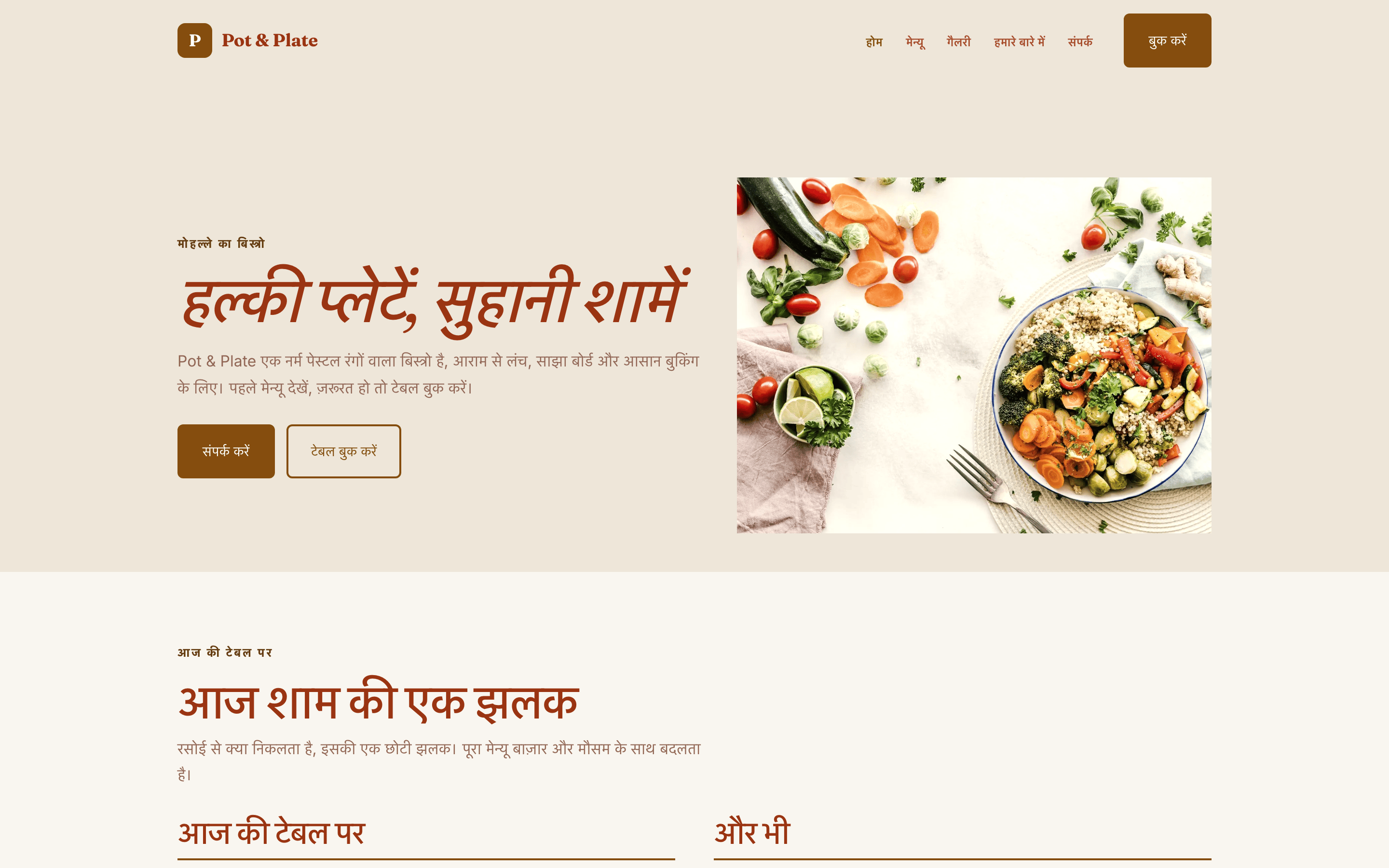
The AI builds a first look of your site from your answers. Open it on your phone first, because most of your customers will see it there. Check that the name of your business, what you do and how to contact you are clear at the top.
Then check the language of the pages. The AI is set up to reply in the language you write in and to write your texts in your language, so they should match what you wrote. If anything comes out in the wrong language, tell the AI in the chat which language you want.
Step 4. Ask for changes in plain Hindi
You can ask for changes in the chat in your own words. For example:
टेक्स्ट थोड़ा छोटा कर दो।
हमारी सर्विस के बारे में एक नया पेज जोड़ो।
खुलने का समय सोमवार से शनिवार, सुबह 10 से शाम 7 लिखो।
The AI makes the change and you look at the result. You can also open the site and change any text yourself, at any time.
Step 5. Check the facts yourself
The AI only knows what you told it, so check the details that matter to your customers:
Address and opening hours.
Phone and WhatsApp number.
The services or products you list.
Any price you mention. Make sure it is the price you want to show today.
Read the text out loud. If a sentence does not sound like you, change it.
Step 6. Put your site online
When you are happy, publish it. Your customers see nothing until you do. Your site goes live on a free address that ends in wemasy.app, so you can share the link on WhatsApp, on a shop board or on a visiting card right away. If you later want your own name, you can connect your own domain, which is a paid step.
What to improve after your site is online
Once the site is live, watch what customers ask you. If three people ask about the same thing, put the answer on the site. Add a photo you forgot. Mention the new service you started. Small steady improvements work better than waiting for a perfect version.
The AI uses credits when it works for you. You can see what uses them in your account and add more when you need to.
Frequently asked questions
Can I really build a website in Hindi without knowing English?
Do I need to know anything about websites?
Can I change the text the AI wrote?
Will my customers see the site before I am ready?
Is there a free way to try this?
Can customers message me on WhatsApp from the site?
What if I want my website in English as well?
To see how it feels, start the AI chat, write two or three sentences about your business in Hindi and look at the first version on your phone.