

The Usage page shows how much of its plan a project uses: pages, products, storage, form submissions, website mail, newsletter mail, contacts and more. It also shows your AI credits and any website mail that WEMASY is holding for you. Check it before a busy period, such as a sale or an event, or when you wonder why something is held.
Open the Usage page
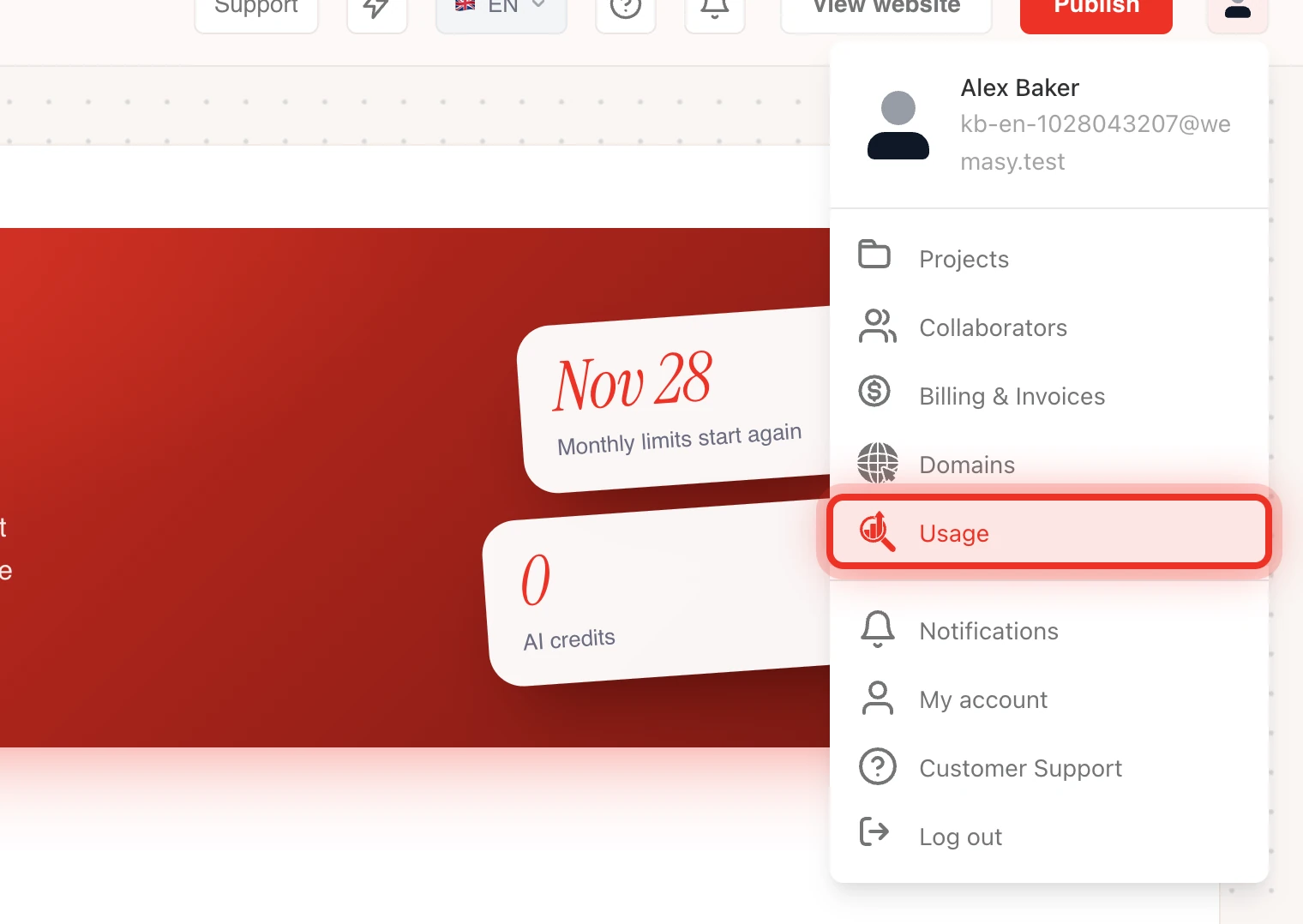
- Open the profile menu in the top right of the dashboard.
- Click Usage, right below Domains.
- If you have more than one project, pick the project under Project.
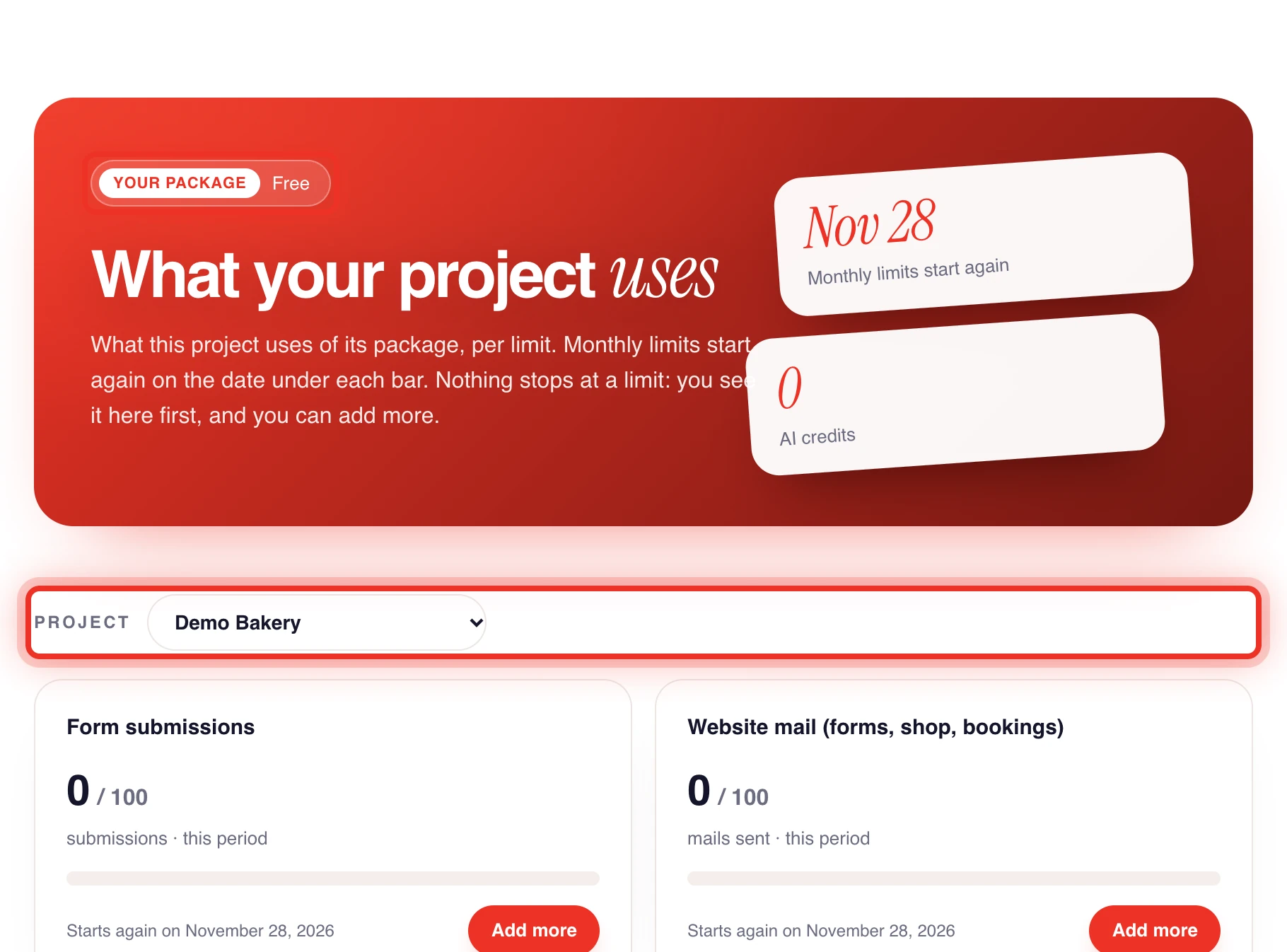
The top of the page shows Your package, the date Monthly limits start again and your AI credits. Usage used to be a tab in the project settings. It now has its own page in the profile menu.
Read a limit
Every limit of your plan has its own card with a bar, what you used and the limit, for example Pages, Products, Storage, Form submissions, Website mail (forms, shop, bookings), E-mails sent and Contacts. Which cards you see depends on the products in your plan.
- Starts again on shows the date a monthly limit goes back to zero.
- Not counted per month means the number is a running total, such as storage or pages.
- Unlimited (fair use) means there is no fixed number for your plan. Use it reasonably.
- No fixed limit means the card is there for your information.
Nothing stops when you reach a limit. You see it here first and you can add more. The numbers per plan are in Account limits.
Add more of one limit
Where an add on exists, a card has an Add more button. Only the owner of the project can buy one.
- Click Add more on the card.
- Pick an amount. The popup shows the price in your own currency.
- Click Pay with the amount on it.
- Confirm the payment on the secure payment page.
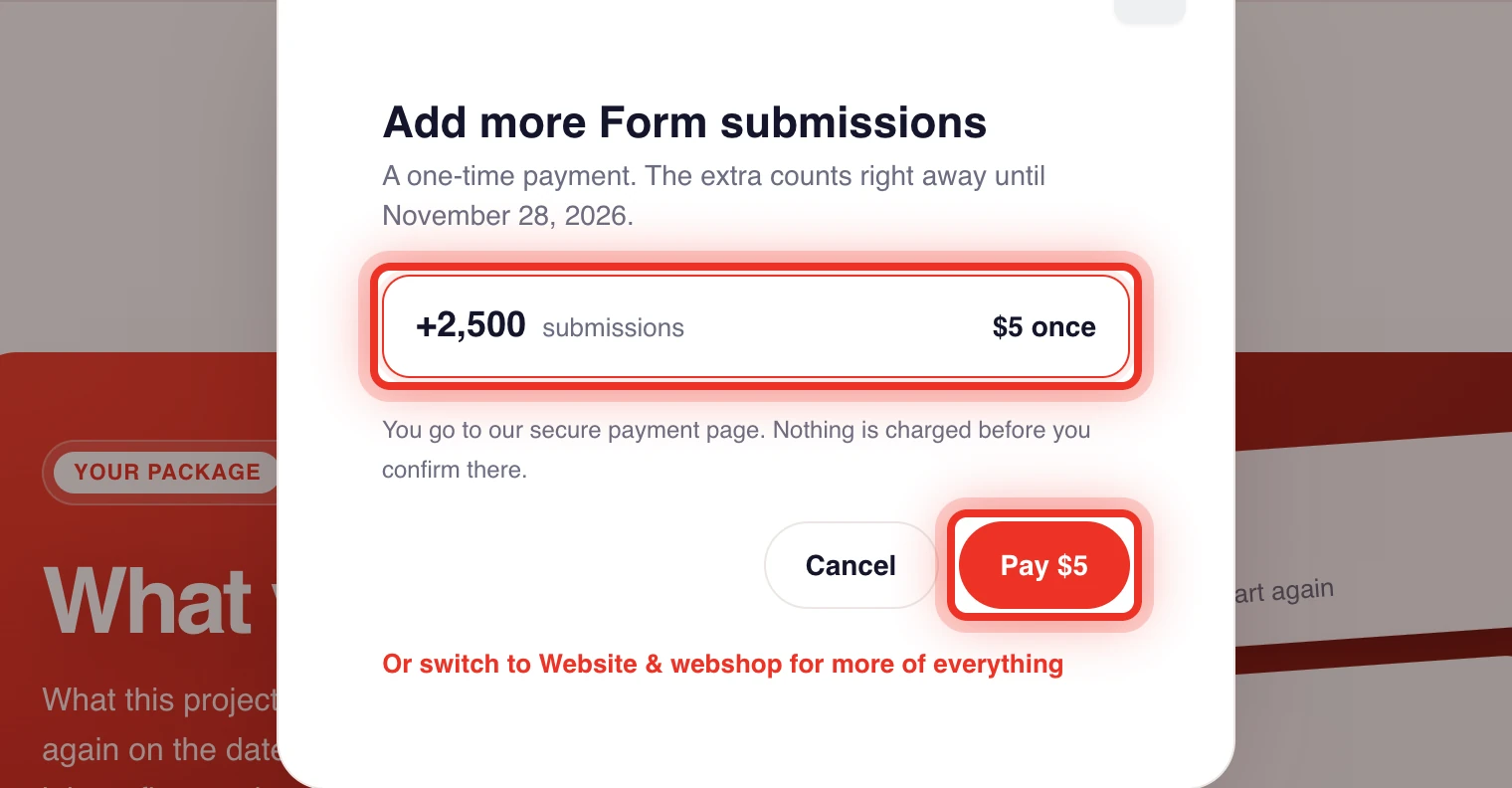
An add on is a one time payment. The extra counts as soon as the payment is confirmed, usually within a minute, until the next date the monthly limits start again. Nothing is charged before you confirm on the payment page.
Where no add on exists, the card shows More with a bigger plan. It opens the plan picker. See Upgrading your plan. An extra mailbox is not an add on: it is a monthly subscription that you add on the Mailboxes screen of E-mail Hosting.
AI credits
AI credits belong to your account and work in all your projects. They do not go back to zero at the end of the month. The card shows your balance, this week's credits from your plan and the credits you bought. Click Buy AI credits to top up. See AI credits.
Held website mail
Each project can send a set number of website mails a day, such as form confirmations, order emails and booking emails. Mail above that number is held under Held website mail, never lost. Click Send later or Delete per email, or Send all later and Delete all. To ask for more, click Ask for a higher limit. See Held website mail.
Frequently asked questions
Why can I not click Add more?
Only the owner of the project can buy an add on. Ask the owner to open the Usage page.
Does an add on renew every month?
No. It is a one time payment that counts until the date the monthly limits start again. Buy it again when you need it, or move to a bigger plan.
I paid but the limit did not change. What now?
The add on counts as soon as the payment is confirmed, usually within a minute. Reload the page. If it still does not show, contact support.